










The head contractor hands you a spec sheet on a Monday morning. Halfway down page two, between the patch panel count and the cable colour schedule, a single line: "All structured cabling to be installed in accordance with AS/CA S008." You have seen the reference a hundred times on tender documents, but no one has ever sat you down and explained what it actually requires you to do on site.
This is that explanation. Not a rewrite of the standard — a working cabler's guide to what AS/CA S008 means in practical terms, when Cat6A becomes non-negotiable, and what you need to hand over before the head contractor signs off your invoice.
What AS/CA S008 Actually Is
AS/CA S008 is the Australian standard for customer cabling — every metre of cable on the customer's side of the network boundary. Think of the boundary as the demarcation point where the carrier's network ends and the building's structured cabling begins. Everything from that point inward — risers, horizontal runs, patch leads, outlets — falls under S008.

It sits alongside AS/NZS 3080, which covers performance specifications (the Class D, Class E, Class EA, Class F categories you see on test reports). S008 covers how you install. AS/NZS 3080 covers how it has to perform when you are done. Both apply on every job.
The standard is administered by ACMA (the Australian Communications and Media Authority). Every cabler with an Open or Restricted Cabling Provider registration is legally bound by it. There is no "recommended" or "best practice" softening here — if you are pulling cable in Australia, S008 is your job description.
The two standards in plain terms:
- AS/CA S008: The installation rulebook — what you can and cannot do on site
- AS/NZS 3080: The performance benchmark — what the channel must measure when tested
- ACMA: The regulator — who you are registered with, who can pull your registration
- Customer cabling: Everything past the network boundary point (NBP) — your responsibility
What S008 Actually Covers
A common misconception is that S008 just tells you which category of cable to use. It does not. The standard covers the full installation lifecycle — from how you handle a 305m roll on site to what you hand over the day you walk off the job.
Installation practices
Bend radius, pulling tension, separation from power circuits, support intervals, fire-rated penetration sealing, segregation in shared trays. The standard sets the minimums — get any of these wrong and the cable physically degrades or fails certification.
Cable categories and channel performance
S008 references the AS/NZS 3080 channel classes — Class D (Cat5e), Class E (Cat6), Class EA (Cat6A), Class F/FA (Cat7/7A). The job spec tells you which class is required. The standard tells you how to install cable that achieves it.
Connector and termination performance
A Cat6A cable terminated with Cat5e modules gives you a Cat5e channel. The connector chain must match the cable category — patch panels, keystones, patch leads, all of it. S008 expects everything in the channel to be rated for the class you are claiming.
Channel testing
Every permanent link or channel must be tested with a Level III or higher tester (Fluke DSX, Viavi Certifier, similar) and pass to the specified class. Test results are part of your handover — not optional, not negotiable.
Documentation
A Record of Installation (ROI) goes to the building owner. Labels go on every outlet, patch panel port, and termination. Test reports are attached. Without these you have not finished the job — even if every cable is in the ceiling and lit up.
The Cable Category Hierarchy
Specs almost always reference the cable category by its AS/NZS 3080 channel class. Here is what each one means in working terms:
Channel class quick reference:
- Class D / Cat5e: 1 Gbps to 100m. Legacy installs only — not specified for new commercial work.
- Class E / Cat6: 1 Gbps to 100m, 10 Gbps to ~37m bundled. Acceptable for residential and small commercial; rarely specified for new builds.
- Class EA / Cat6A: 10 Gbps to full 100m. The default specification for new commercial, government, education, and healthcare builds.
- Class F / Cat7 & Class FA / Cat7A: Specialist applications — data centres with very dense racking, some industrial. Rarely specified in mainstream Australian commercial work.
Cable Category Compliance Table
| Category | Cable Type | Max Speed | Max Distance | S008 Class | Mandatory For |
|---|---|---|---|---|---|
| Cat5e | U/UTP | 1 Gbps | 100m | Class D | Legacy / voice |
| Cat6 | U/UTP | 1 Gbps (10 Gbps to 37m) | 100m | Class E | Residential, small commercial |
| Cat6A | U/UTP, F/UTP, S/FTP | 10 Gbps | 100m | Class EA | New commercial, government, healthcare, education |
| Cat7A | S/FTP | 10 Gbps+ (40 Gbps short) | 100m | Class FA | Specialist data centre / industrial |
When Cat6A Becomes Mandatory
There is no single line in S008 that says "you must use Cat6A." What there is, instead, is a chain of project specifications that effectively make Cat6A the only compliant choice. If your spec calls for a Class EA channel, you are installing Cat6A — there is no other cable that delivers Class EA performance to 100m.
The job types where Class EA is now the standard specification:
- ✓ New commercial builds — office fit-outs, retail, hospitality of any reasonable scale
- ✓ Government and Defence contracts — federal, state, and most local council projects
- ✓ Education sector — schools, TAFEs, universities, particularly any project under a state department building program
- ✓ Healthcare — hospitals, clinics, aged-care facilities (often with shielded variants for medical imaging suites)
- ✓ Any spec that calls out "Class EA channel" — even on smaller jobs, this language locks you into Cat6A by definition
The ACMA Registration Reminder
It is illegal to install customer cabling in Australia without an ACMA-issued Cabling Provider registration. There are two relevant categories:
Open Cabling Registration covers all customer cabling — copper and fibre, indoor and outdoor, structured and aerial. Restricted Cabling Registration is limited to single-dwelling residential and minor extensions.
S008 is not separate from your registration — it is the standard your registration requires you to meet. ACMA can act on a complaint, audit your work, and suspend or cancel a registration where the work does not meet the standard. For commercial work in particular, the head contractor or building owner can lodge a complaint that leads to an ACMA review.
What Happens If You Are Non-Compliant
The real-world consequences:
- Failed certification: Channels do not pass to the required class. Re-pull, re-terminate, re-test — at your cost.
- Contract liability: Most commercial contracts include a "compliance with applicable standards" clause. Non-compliance is a breach — the head contractor can withhold payment or back-charge.
- ACMA complaint risk: Building owner or head contractor lodges a formal complaint. ACMA reviews. Worst case: registration is suspended.
- Prequalification damage: Government and tier-one commercial prequalification panels track this. One non-compliance event can knock you off a panel for years.
- Insurance implications: Public liability and professional indemnity policies generally require compliance with applicable standards. A non-compliant install can complicate a claim.
The Record of Installation (ROI)
The ROI is the single document that proves the job was done correctly. It is required under S008 and must be provided to the building owner on completion. If you have been treating the ROI as paperwork to chase up later, this is where the standard catches you out — without it, the job is not finished.
A complete ROI includes:
- ✓ Cabler's name, ACMA registration number, and registration category
- ✓ Site address and date of installation
- ✓ Description of cabling installed — cable category, route summary, drop count
- ✓ Statement of compliance with AS/CA S008 and AS/NZS 3080
- ✓ Channel test results attached (one report per permanent link or channel)
- ✓ Cabler's signature
Pre Sign-Off Checklist
Before you walk off the job, confirm:
- 1. Cable tested: Every channel tested with a Level III tester to the specified class (Class EA for Cat6A jobs). All passing.
- 2. ROI completed: Record of Installation drafted, signed, and ready to hand to the building owner.
- 3. Patch panels labelled: Every port labelled to match the outlet labelling scheme. No mystery ports.
- 4. Outlets labelled: Every faceplate labelled — port number, panel reference, drop ID. Permanent labels, not pencil.
- 5. Test results attached: All test reports exported, packaged with the ROI, and handed over (digital or printed as the contract requires).
Bottom Line
AS/CA S008 is not a piece of paperwork the head contractor invented to slow you down. It is the standard your ACMA registration is built on, and it is the standard the building owner is going to test against on the day they accept the install. Knowing it well enough to talk through it with a head contractor — or to push back when someone asks you to spec Cat6 on a job that calls for Class EA — is part of the trade now.
For commercial work in 2026, the practical answer to S008 compliance is straightforward: spec Cat6A from a supplier with verified compliance, terminate to a matching channel, test every link, document everything, and hand it over. Do that on every job and the standard takes care of itself.
SparkyZone stocks AS/CA S008 compliant cable for every commercial install.
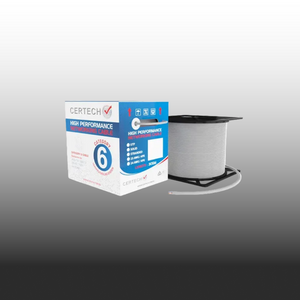
Full Cat6A range — U/UTP, F/UTP, S/FTP, gel-filled and external variants — Australian stock, ABN-invoiced, same-day dispatch before 2pm AEST, free shipping over $300. Cat6 still available where the spec calls for it.
Trade account or specifying for a multi-site rollout? Email sales@sparkyzone.com.au for project pricing and compliance documentation.
