







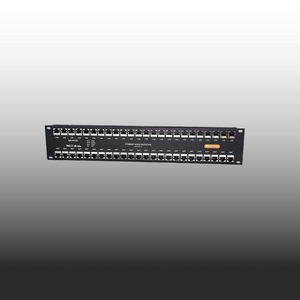
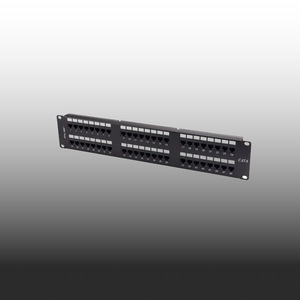



10G Ready.
305m. Built To Last
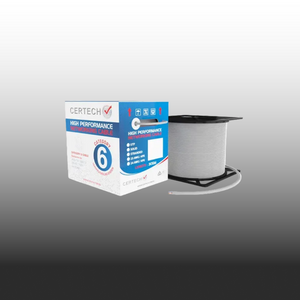
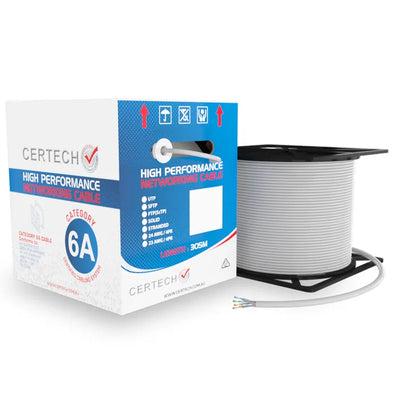
Cat6A solid copper cable that handles the speed your jobs demand.

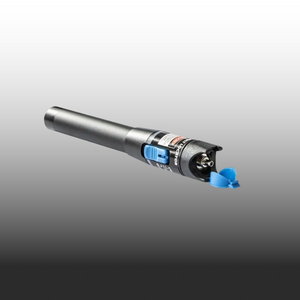
Test Smarter.
Work Faster.
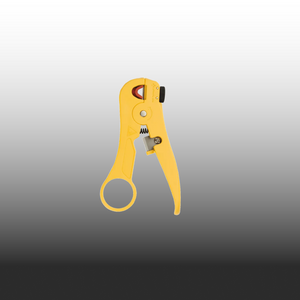
Reliable electrical test gear for installs, maintenance and troubleshooting.

Same Day Dispatch
Order before 2pm AEST for same day dispatch
100% Australian stock
Free shipping over $300

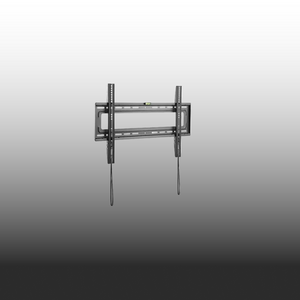
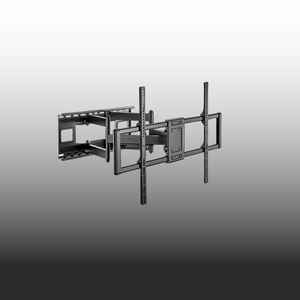
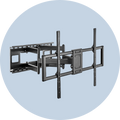
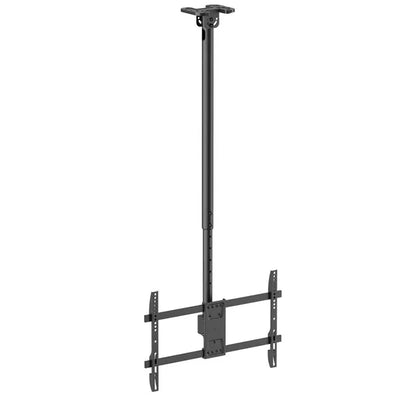
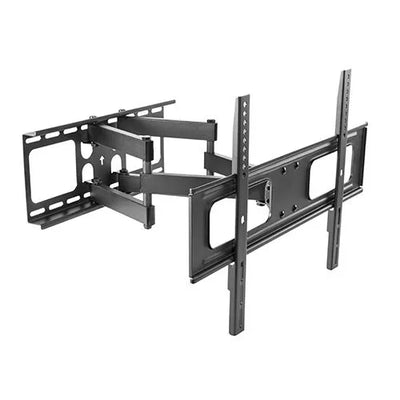
Mount Anything, Anywhere.
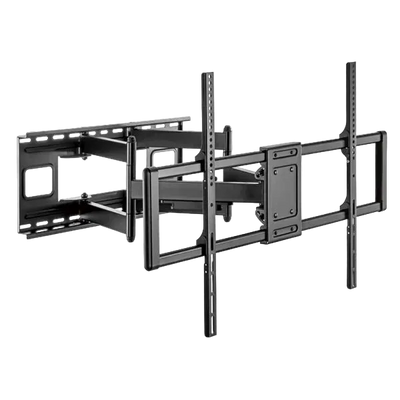
Steel construction holds 60–120″ displays. Full-motion flex. Built to last.
Australian Owned & Operated
Local team, local support
Certified to Australian Standards
All products meet Australian standards
Free Shipping on Orders Over $300
Save more when you stock up.
End to end Support
Has your back every step of the way.
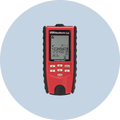
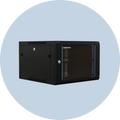
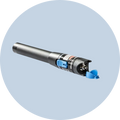
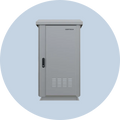
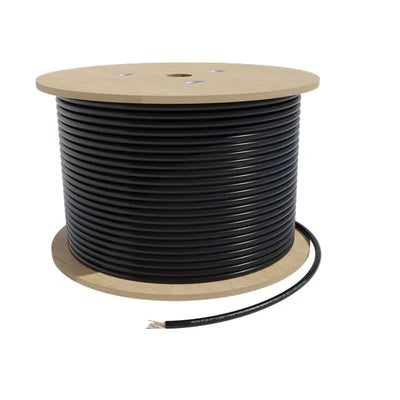
CAT6A Cable Rolls
Best Selling

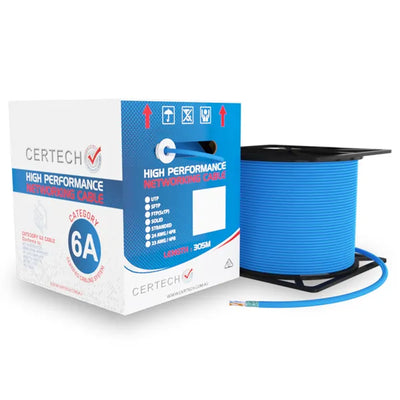
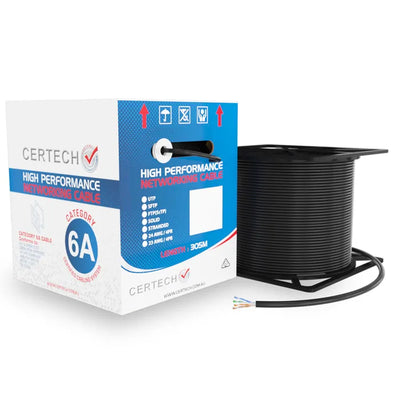
Top Sellers
Why Buy From Us?
We're committed to providing the best products and service in the industry
Certified for Australian Standards
All our products are tested and certified to meet Australian standards
Same Day Dispatch
Same day dispatch for orders placed before 2PM AEST
Local Stock
100% Australian stock. No waiting for overseas shipping. Local warranty support.
Easy Returns
30-day hassle-free returns for your peace of mind
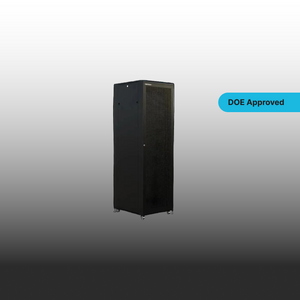
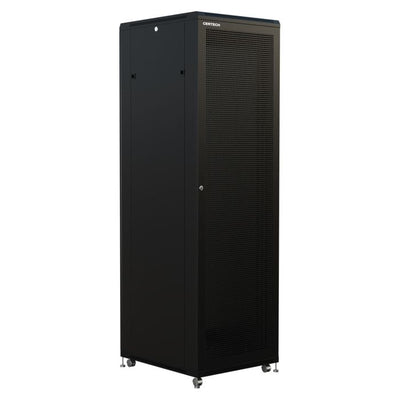
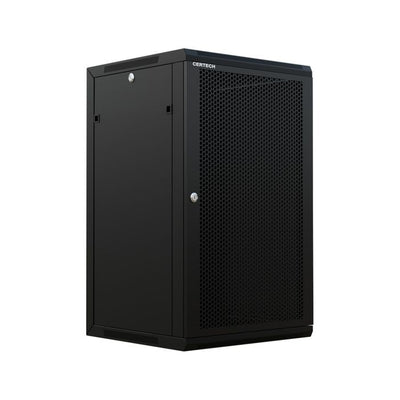
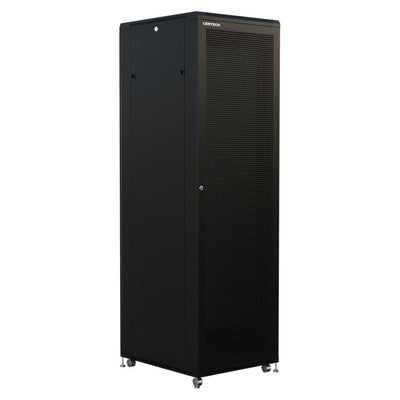
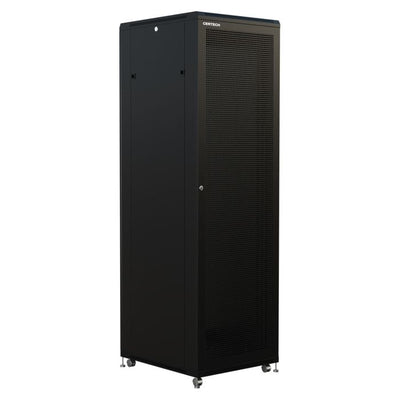
DOE Approved Server Racks
Designed to meet the DoE standards and requirements for education precincts

From Our Blog
Server Rack Buying Guide Australia | DoE & IP65 Racks | SparkyZone
Choosing the wrong server rack costs more than money — it costs time, reputation, and project sign-off. For IT installers and data cablers working on Australian government, education, or enterprise projects, a non-compliant rack means a failed inspection, a return trip to site, and a client who questions your judgement. The server rack market in Australia is fragmented. Mainstream retailers carry consumer-grade options that look similar on paper but lack the compliance documentation, build quality, and IP ratings that professional installations demand. Meanwhile, specialist suppliers often have limited range or poor online presence, making it difficult to compare options and source everything from one supplier. This guide cuts through the confusion. We compare every major rack type — DoE-registered freestanding racks, standard freestanding (Benchmark Series), wall mounted cabinets, hinged swing frame cabinets, vertical wall mount racks, open frames, and outdoor IP-rated enclosures — with real specifications, real prices in AUD including GST, and practical guidance on which rack suits which project. Whether you are specifying a 45RU data centre build or a 6RU comms cupboard, this guide helps you choose the rack that passes inspection first time. What Is a DoE-Registered Server Rack? DoE stands for Department of Education. In New South Wales and the Australian Capital Territory, any server rack installed in a government or education facility must be on the Department of Education's approved product register. This is not a recommendation — it is a procurement requirement. If your rack is not on the register, it will be rejected during inspection, regardless of its build quality or specifications. DoE registration confirms that the rack meets specific standards for structural integrity, ventilation, cable management access, and security. Registered racks typically include features such as perforated front and rear doors for airflow, lockable panels, removable side panels for maintenance access, and earthing provisions that comply with AS/NZS 3080. Why this matters: If you are tendering for or installing in any NSW or ACT government building, school, TAFE, university, or public health facility, specifying a DoE-registered server rack is non-negotiable. Our Premier Series racks (SKU prefix NSR) carry DoE registration and are available in sizes from 12RU through to 45RU. ⚠️ DoE Registration: When It's Mandatory Required for: NSW Government buildings ACT Government buildings NSW/ACT Schools and TAFEs NSW/ACT Universities Public health facilities Not required but recommended for: Private enterprise Corporate offices Retail fit-outs — though DoE-registered racks still represent best-practice specification Deep Dive: Each Rack Type Explained Not every project calls for the same rack. A 45RU data centre build has completely different requirements to a 6RU wall-mounted comms cupboard. Here is how each rack type works, when to use it, and what to look for. DoE Approved Racks (Premier Series) The Premier Series is our compliance workhorse — designed specifically for Australian government and education environments where DoE registration is a hard requirement. Available in configurations from 12RU through to 45RU, with widths of 600mm or 800mm and depths from 600mm to 1200mm. Every Premier Series rack ships with full DoE registration documentation, perforated mesh doors for ventilation, lockable front and rear panels, and earthing provisions to AS/NZS 3080. DoE Approved Premier Series — Featured Products NSR276X8-DOE — 27RU, 600mm x 800mm, DoE Approved — $1,658.35 AUD inc. GST NSR186X6DOE — 18RU, 600mm x 600mm, DoE Spec — $1,072.26 AUD inc. GST NCWM18600DOE — 18RU Wall Mount, 600mm Deep, DoE Spec — $575.40 AUD inc. GST NSR458X12 — 45RU, 800mm x 1200mm, Premier Series — $3,994.63 AUD inc. GST NSR428X10 — 42RU, 800mm x 1000mm, Premier Series — $3,538.10 AUD inc. GST NSR428X10FP — 42RU, 800mm x 1000mm, Flat Pack — $3,190.08 AUD inc. GST Freestanding Server Racks (Benchmark Series) The Benchmark Series is built for data centre environments where load capacity, cable management, and long-term serviceability matter more than price. These are heavy-duty 42RU and 45RU racks with welded steel frames, available in 600mm and 800mm widths with depths from 800mm to 1200mm. What sets the Benchmark Series apart is the integrated vertical cable management duct system (NRAHDVCD45 at $480.48 for 45RU, NRAHDVCD42 at $428.55 for 42RU), which keeps patch leads organised and maintains airflow across the full height of the rack. Benchmark Series — Featured Products NSRHD458X12 — 45RU, 800mm x 1200mm — $4,508.22 AUD inc. GST NSRHD458X10 — 45RU, 800mm x 1000mm — $4,070.10 AUD inc. GST NSRHD458X9 — 45RU, 800mm x 900mm — $3,905.10 AUD inc. GST NSRHD458X8 — 45RU, 800mm x 800mm — $3,880.49 AUD inc. GST NSRHD428X10 — 42RU, 800mm x 1000mm — $3,880.49 AUD inc. GST NSRHD426X10 — 42RU, 600mm x 1000mm — $2,796.23 AUD inc. GST NSRHD456X8 — 45RU, 600mm x 800mm — $2,853.30 AUD inc. GST Wall Mounted Server Racks Wall mounted cabinets are the go-to solution for small offices, retail fit-outs, and comms cupboards where floor space is at a premium. The range covers 6RU through 18RU in 450mm and 600mm depths. All models feature lockable glass or steel front doors, removable side panels, and pre-punched cable entry points for clean installations. The 600mm-deep models accommodate full-depth networking switches and patch panels comfortably, while the 450mm-deep models suit passive equipment and smaller active gear. Wall Mounted Cabinets — Available Models NCWM6450 — 6RU, 450mm Deep — $369.88 AUD inc. GST NCWM6600 — 6RU, 600mm Deep — $423.75 AUD inc. GST NCWM12450 — 12RU, 450mm Deep — $514.25 AUD inc. GST NCWM15450 — 15RU, 450mm Deep — $548.63 AUD inc. GST NCWM18450 — 18RU, 450mm Deep — $577.50 AUD inc. GST 💰 DoE Compliance Tip: If you need a wall-mounted rack for a DoE-compliant project, the NCWM18600DOE ($575.40 AUD inc. GST) is the purpose-built option with DoE registration documentation included. Hinged Swing Frame Cabinets Swing frame cabinets solve a common frustration: accessing the rear of a wall-mounted rack without dismounting it. The entire frame swings out up to 90 degrees on a heavy-duty hinge, giving you full rear access for cable terminations, patching changes, and equipment swaps. This is particularly valuable in managed network environments where regular maintenance is expected, and in multi-tenancy buildings where different service providers need to access shared comms infrastructure. Hinged Swing Frame Cabinets — Available Sizes NCSWG9550 — 9RU, 550mm Deep — $599.19 AUD inc. GST NCSWG9600 — 9RU, 600mm Deep — $650.55 AUD inc. GST NCSWG12550 — 12RU, 550mm Deep — $752.43 AUD inc. GST NCSWG18550 — 18RU, 550mm Deep — $894.80 AUD inc. GST NCSWG18600 — 18RU, 600mm Deep — $890.23 AUD inc. GST NCSWG24550 — 24RU, 550mm Deep — $992.95 AUD inc. GST NCSWG24600 — 24RU, 600mm Deep — $1,078.55 AUD inc. GST Vertical Wall Mount Racks Vertical wall mount cabinets offer a unique low-profile design for installations where depth is limited. These combine 2RU of horizontal mounting with 4RU, 6RU, or 8RU of vertical mounting space. Particularly suited to corridor comms points, reception areas, and retrofit installations where a standard-depth wall mount cabinet would protrude too far from the wall. Vertical Wall Mount Racks — Models NCVWM2H4VS — 2RU Horizontal + 4RU Vertical, Short — $633.44 AUD inc. GST NCVWM2H4V — 2RU Horizontal + 4RU Vertical — $707.62 AUD inc. GST NCVWM2H6V — 2RU Horizontal + 6RU Vertical — $787.52 AUD inc. GST NCVWM2H8V — 2RU Horizontal + 8RU Vertical — $792.02 AUD inc. GST Open Racks and Frames Open racks and frames strip away the enclosed cabinet to provide maximum airflow and cable access. They are the preferred choice for high-density cabling environments, structured cabling distribution rooms, and heat-intensive installations where unrestricted ventilation is critical. The range includes 2-post distribution frames — ideal for patch panels and passive equipment — and 4-post depth-adjustable open racks that support heavier active equipment. Open Racks & Frames — Key Products NDF37U — 37RU 2-Post Distribution Frame — $651.42 AUD inc. GST NROF4P42K — 42RU 4-Post Open Frame with Vertical Cable Ducts — $753.94 AUD inc. GST NROF4P25K — 25RU 4-Post Open Frame with Vertical Cable Ducts — $616.83 AUD inc. GST NR4POF32 — 32RU 4-Post Depth Adjustable Open Rack — $636.34 AUD inc. GST NDFHOOD — Raised Hood for NDF Series Distribution Frames — $140.63 AUD inc. GST Outdoor Racks (IP45 and IP65 Rated) Outdoor installations demand racks that can withstand Australian conditions — heat, humidity, dust, and rain. The range includes wall-mounted and freestanding enclosures with IP45 and IP65 ingress protection ratings. These are not consumer enclosures with a weatherproof sticker — they are tested and rated to deliver genuine protection for sensitive networking equipment in exposed environments. ⚠️ IP Rating Guide for Outdoor Racks IP45: Protects against solid objects >1mm + water jets from any direction. Suitable for sheltered outdoor locations (under eaves, covered areas). IP65: Complete dust protection + water jet resistance. For fully exposed outdoor locations. Recommended minimum for Australian outdoor installs. Stainless Steel models: Available for coastal and corrosive environments. NRODWS9600FK at $3,120.54 AUD inc. GST. Outdoor Racks — Featured Products NRODW9400-V2 — 9RU Wall Mount, 400mm Deep, IP65 — $757.70 AUD inc. GST NRODW9600FK-V2 — 9RU Wall Mount, 600mm Deep, IP45 — $1,500.00 AUD inc. GST NRODW9400FK — 9RU Wall Mount, 400mm Deep, IP45 — $1,280.00 AUD inc. GST NRODWS9600FK — 9RU Wall Mount, 600mm Deep, Stainless Steel, IP45 — $3,120.54 AUD inc. GST NROD248X6GY — 24RU Freestanding, 600mm Deep, IP45, Grey — $4,478.66 AUD inc. GST How to Choose the Right Rack: Decision Framework by Project Type Match your rack selection to the project type. Here is a quick decision framework based on the most common installation scenarios we see across Australian projects. 1. Data Centre Build Benchmark Series 45RU (NSRHD458X12 from $4,508.22 AUD inc. GST). You need high load capacity, deep chassis (1000–1200mm), integrated cable management ducts, and room for future expansion. The Benchmark Series delivers on all four. 2. Government / Education Comms Room DoE Approved Premier Series (from $575.40 AUD inc. GST). You need DoE registration documentation and AS/NZS 3080 earthing compliance. Without the registration paperwork, you will not pass inspection — full stop. 3. Small Office / Retail Fit-Out Wall Mounted Cabinet 6RU–12RU (from $369.88 AUD inc. GST). You need space efficiency, lockable access, and 600mm depth for modern managed switches. The wall mount range keeps equipment secure and off the floor. 4. High Maintenance Environment Hinged Swing Frame Cabinet (from $599.19 AUD inc. GST). You need regular rear access for managed networks and multi-tenancy buildings. The 90-degree swing eliminates the need to unmount the entire cabinet for routine maintenance. 5. Corridor / Reception Comms Point Vertical Wall Mount Rack (from $633.44 AUD inc. GST). You need minimal depth protrusion, wall-mounted installation, and a low-profile aesthetic that does not dominate the space. 6. Cabling Distribution Room Open Frame 4-Post (from $616.83 AUD inc. GST). You need maximum cable access, unrestricted airflow, and high patch panel density. Open frames give you 360-degree access without doors or panels getting in the way. 7. Outdoor / Exposed Site IP65 Outdoor Enclosure (from $757.70 AUD inc. GST). You need IP65 minimum ingress protection, weatherproof construction, lockable access, and corrosion resistance. For coastal environments, consider the stainless steel models. Key Specifications to Check Before You Order Before you finalise a rack purchase, verify these critical specifications. Getting even one wrong can mean costly rework or equipment that simply does not fit. Rack Units (RU) ✓ One rack unit = 44.45mm of usable vertical space ✓ A 45RU rack provides approximately 2 metres of usable mounting height ✓ Always allow 2–3RU spare capacity for future expansion and ventilation gaps Width ✓ Standard 19-inch (482.6mm) rack mounting is universal across all models ✓ External widths: 600mm (standard) or 800mm (wide) ✓ Choose 800mm when running higher cable density or side-mounted cable management Depth ✓ Most underestimated spec — range: 400mm to 1200mm ✓ For modern switches and servers: 800mm minimum ✓ Data centre chassis equipment: 1000–1200mm ✓ Wall-mounted racks: 450–600mm is sufficient for most passive and light active gear Weight Capacity ✓ Check both static load (stationary) and dynamic load (during installation and servicing) ✓ Freestanding racks support significantly higher loads than wall-mounted models ✓ Factor cumulative weight of all equipment plus accessories — it adds up faster than you expect Complete Your Rack Build — Essential Accessories A rack on its own is just a frame. The accessories you pair with it determine whether the installation is professional-grade or a maintenance headache. Here is what to include in your order. Essential Rack Accessories Server Rack Doors (13 products): Perforated mesh, perspex, and solid steel options. From $147.17 (NRAMDW9 — 9RU perforated door). Maintains airflow while securing equipment. Fan Kits (9 products): Roof-mounted active cooling solutions. Essential for enclosed racks housing heat-generating networking equipment. Fixed Shelves (14 products): From $84.80 (NRAFS81000). Supports non-rack-mountable equipment: UPS units, media converters, modems. Cable Management (11 products): Lacing bars, vertical cable ducts, horizontal managers. Maintains airflow and keeps patch leads organised. Earthing Equipment (3 products): Earth wire kits (NRAEWIRE at $12.94) + copper earth bars (NRACEB1RU at $89.61). Required for AS/NZS 3080 compliance. Cage Nuts & Rackstuds (9 products): 100-piece packs from $57.48 (NRACAGE100S). Universal cage nut tool (NRACAGETOOL) at $7.18. 💰 Bundle and Save: Ordering your rack, doors, fan kits, shelves, and cable management in a single order saves on freight and ensures everything arrives together for installation day. ABN invoiced, Australian stock, same-day dispatch on orders placed before 2pm AEST. Free shipping on orders over $300. Choose the Right Rack, Pass Inspection First Time The rack you choose sets the foundation for every piece of equipment mounted inside it. A compliant, correctly-sized rack with proper ventilation, cable management, and security means your installation passes inspection without callbacks. A non-compliant or undersized rack means rework, delays, and a hit to your professional reputation. SparkyZone stocks over 160 server rack products — from DoE-registered Premier Series for government projects, to heavy-duty Benchmark Series for data centres, to IP65-rated outdoor enclosures for exposed sites. Every product ships from Australian stock with ABN invoicing, same-day dispatch on orders before 2pm AEST, and free shipping on orders over $300. Browse the Full Server Rack Range sparkyzone.com.au/collections/server-racks-cabinets Need help choosing? Email sales@sparkyzone.com.au — our team responds Monday to Friday 8am–5pm AEST. Related Guides Cat6 vs Cat6A: Which Cable for Your Next Commercial Install? Cat6A Cable Rolls — The Complete Buying Guide AS/CA S008 Cabling Compliance — A Plain English Guide References EIA-310-D — Electronic Industries Alliance standard for rack and panel dimensions. Defines the 19-inch (482.6mm) mounting width and 1RU = 44.45mm spacing referenced throughout this guide. AS/NZS 3080:2013 — Telecommunications installations — Integrated telecommunications cabling systems for commercial premises. Specifies earthing and bonding requirements for communications cabinets and racks installed in Australian commercial environments. NSW Department of Education ICT Infrastructure Standards — Procurement requirements for server racks installed in NSW government schools, TAFEs, and educational facilities. Mandates DoE-registered products for all structured cabling infrastructure. IEC 60529 (IP Rating Standard) — International standard defining Ingress Protection (IP) ratings for electrical enclosures. IP45 and IP65 ratings referenced for outdoor rack specifications in this guide.
Read article
Network Cable Tester Buying Guide Australia (2026)
A failed link on installation day costs more than any tester on the market. Whether you're certifying a 200-drop Cat6A commercial build or chasing a dead port in a school comms room, the right network cable tester tells you exactly what's wrong — and exactly what's right — before the client walks in. The wrong one leaves you guessing. This guide breaks down the three tester tiers used by Australian cablers and IT installers, maps them to real use cases, and shows you which Platinum Tools units SparkyZone carries — with live prices from Australian stock. Quick answer: Which tester do you need? Continuity tester (~$150–$350): Residential, small commercial, fault-finding. Confirms all 8 conductors are intact and correctly wired. Verification tester (~$340–$540): Commercial installer. Confirms the cable will carry data — length, wiring map, tone tracing, coax. No formal certification. Speed certifier ($3,000+): Structured cabling contractors, TIA-568 sign-off, government and education projects. Produces a pass/fail report against speed class (e.g. 10GBASE-T). What does a network cable tester do? A network cable tester sends a signal down each conductor in a copper data cable and measures what comes back. At minimum, it confirms continuity — that all 8 wires in a Cat6 or Cat6A cable are connected end-to-end with no shorts, opens, or crossed pairs. More advanced units go further: measuring cable length, confirming the wiring map matches T568A or T568B standards, testing PoE voltage, or running a full bit-error rate test (BERT) at 10 Gb/s to produce a TIA-568 compliance certificate. For cablers, this process eliminates callbacks. For IT installers, it's how you prove a cable isn't the problem before you touch the switch config. For project managers on government or education jobs, it's the documentation that gets a job signed off. Continuity testers vs verifiers vs certifiers These three terms are often used interchangeably in conversation, but they describe fundamentally different capabilities. Choosing the wrong tier for the job means either spending money you don't need to, or delivering a job you can't formally sign off. Tester type What it proves Price band (AUD) SparkyZone product Continuity tester All 8 conductors intact, correct wiring map (T568A/B), no shorts or opens $152 – $350 LanSeeker TP500C · MapMaster Mini T109C Verification tester Wiring map + cable length in metres + tone tracing + coax support. Field-grade, no formal cert $340 – $540 VDV MapMaster 3.0 T130 · T130K5 Field Kit Speed certifier TIA-568 pass/fail at rated speed class (up to 10GBASE-T). BERT, VLAN discovery, PoE load test, network mapping. Formal report $3,000+ Net Chaser TNC950AR What to look for in a Cat6 and Cat6A tester Cat6A is the current minimum for structured cabling in commercial builds under AS/NZS 3080 (ISO/IEC 11801 aligned). If you're testing Cat6A — which runs at up to 500 MHz and supports 10GBASE-T over 100 m — the tester needs to handle all four pairs under load, not just check continuity at DC. Here's what matters: ✓ Split-pair detection — continuity alone won't catch a split pair. Testers that check for this save a lot of re-termination. ✓ Length measurement in metres — essential for documenting permanent link length against the 90 m limit under TIA-568-C.2. ✓ Tone generation — lets you trace hidden or unlabelled cables in a wall or patch bay with a separate tone probe. ✓ Multiple remote IDs — for mapping several cable runs simultaneously from the same main unit. ✓ PoE detection — critical if you're handing over to an IP surveillance or VoIP install. ✓ Backlit display — comms rooms and ceiling spaces are dark. Non-negotiable on a professional kit. Platinum Tools Net Chaser TNC950AR — key specs: Test standard: TIA-568-C.2 permanent link and channel Speed classes: 10/100/1000 Mb/s + 10GBASE-T (BERT) PoE testing: IEEE 802.3af/at with load test for voltage drop; pair identification Network diagnostics: DHCP verification, DNS, ping to IP/URL, VLAN discovery, LLDP/CDP, traceroute Other: IPv4 support, port discovery (link-light ID on switch), network mapping Price (AUD inc GST): $3,076.41 Do you need a certifier for compliance work? For most installation jobs in Australia — residential data points, small office fits, patching comms rooms — a continuity or verification tester is sufficient. You're not required to produce a TIA-568 certification report for every cat6 cable you run. Where certification becomes mandatory or strongly expected: ✓ Government and education projects — typically specify AS/NZS 3080 compliance with documented test results per permanent link. ✓ Healthcare facilities — structured cabling is often part of a broader building services compliance audit. ✓ Data centre horizontal runs — especially where 10GBase-T or higher is specified over Cat6A permanent links exceeding 55 m. ✓ Contractual sign-off — if the contract includes a "tested and certified to TIA-568" clause, a continuity tester won't cut it at handover. Important distinction: permanent link vs channel Permanent link: The installed cable only — from behind the wall plate to the patch panel port. Max 90 m. This is what the cabling contractor certifies. Channel: End-to-end including patch leads. Max 100 m total. This is what the IT integrator tests when the full system is live. The Net Chaser TNC950AR tests both permanent link and channel per TIA-568-C.2. Best testers for different jobs Here's how the SparkyZone Platinum Tools range maps to real-world install scenarios: For residential and small commercial installs Platinum Tools LanSeeker TP500C The entry point. LED indicators on both the main unit and remote confirm all 8 conductors, identify opens, shorts, and miswires, and generate audio tones for cable tracing. Auto-powers off within 5 seconds of cable disconnect. Best for: residential data points, SOHO installs, quick fault-finding on patch leads. For patch bay work and multi-run identification Platinum Tools MapMaster Mini T109C (includes 1–5 ID remotes) Detects shorts, opens, miswires, reversals, and split pairs. The numbered remotes let you map and identify up to 5 cable runs simultaneously. Built-in tone generator, auto-off. Best for: patch panel installs, comms room audits, identifying unlabelled cable runs. For commercial installs needing length and coax Platinum Tools VDV MapMaster 3.0 T130 | Field Kit T130K5 Steps up with cable length measurement (feet and metres), single-ended testing for shorts and split pairs, coax testing, and a backlit LCD. Tests voice (6-wire), data (8-wire), and video (coax) from a single unit. Best for: commercial cabling, AV/CCTV mixed installs, any job where you need length documentation. For structured cabling contractors and TIA-568 sign-off Platinum Tools Net Chaser TNC950AR The full speed certifier. Runs BERT at 10GBASE-T speeds, tests PoE per IEEE 802.3af/at, discovers VLANs, runs traceroute, pings up to 8 IP targets simultaneously, and identifies switch ports via link-light. Produces a formal TIA-568-C.2 pass/fail report. Best for: government and education projects, Cat6A certification, any job where documented compliance is a contractual requirement. For PoE verification before device connection Platinum Tools PoE++ Tester TPS200C — $168.43 inc GST A dedicated PoE analyser. Tests power inline with a live PoE device or simulates a powered device (PD mode) to verify power before you connect anything. Scrolling OLED display, auto mode and polarity detection. Does not interrupt data flow during testing. Best for: IP camera installs, VoIP, verifying the switch is actually delivering PoE before connecting a device. How to use a network cable tester (quick workflow) For a continuity or verification tester, the process is straightforward. The wiring standard — T568A or T568B — needs to be consistent end-to-end. 1. Terminate both ends of the cable to the correct wiring standard (T568A or T568B — not mixed). 2. Plug the remote unit into one end (e.g. the wall plate), the main unit into the other (e.g. the patch panel port). 3. Power on the main unit. It will scan each pair and display results — all green LEDs (or a clean display readout) means pass. 4. If a fault is detected, the display shows which pair or conductor failed. 5. Use the tone generator and a separate tone probe (sold separately) to trace and locate the cable if needed. 6. For length documentation (MapMaster 3.0 and above): read cable length in metres from the display and record against the port label. Split pairs: the fault continuity testers miss A split pair occurs when two conductors from different twisted pairs end up in the same physical pair in the plug or keystone. Continuity is fine — all 8 wires connect — but the crosstalk (NEXT) is catastrophic at data speeds. It's the most common fault in hand-terminated keystone jacks and patch leads. The MapMaster Mini T109C specifically detects split pairs — a reason to step up from a basic continuity tester on any Cat6 or Cat6A installation. Choosing the right tester for your toolkit Match the tester to the job, not the other way around. The LanSeeker at $152.44 earns its place in every cabling bag as a quick-check unit. The MapMaster Mini steps up for anyone doing patch panel work or needing split-pair detection. The VDV MapMaster 3.0 is the right tool for commercial handover where length documentation matters. And the Net Chaser TNC950AR is the only option when TIA-568 certification is a contractual requirement. All Platinum Tools testers ship from Australian stock with same-day dispatch on orders placed before 2pm AEST. Orders over $300 ship free. ABN invoicing available for trade accounts. Browse the full range at SparkyZone Test Equipment or explore our wider tools and testers collection. Questions on which unit suits your next job? Email sales@sparkyzone.com.au. References TIA-568-C.2 — ANSI/TIA Balanced Twisted-Pair Telecommunications Cabling and Components Standard. AS/NZS 3080:2013 — Telecommunications installations — Integrated telecommunications cabling systems for commercial premises. IEEE 802.3af / 802.3at — Power over Ethernet (PoE / PoE+) standards. Platinum Tools product specifications — TP500C LanSeeker, T109C MapMaster Mini, T130/T130K5 VDV MapMaster 3.0, TNC950AR Net Chaser, TPS200C PoE++ Tester. Manufacturer data sheets, 2024. SparkyZone product database — Live product pricing verified 2026-06-13. All prices AUD including GST. Related Guides Cat6 vs Cat6A: Which Cable Should You Choose for Your Australian Build? Patch Panel Selection Guide: Cat6, Cat6A, 24 vs 48 Port T568A vs T568B: Which Wiring Standard for Australian Installs?
Read articleCat6A Cable Rolls : The Complete Buying Guide for Australian Electricians and Cablers
Quick Answer: Cat6A 305m cable rolls in Australia range from $323 to $575 inc GST. For most commercial installs, choose F/UTP LSZH (foil shielded, fire-safe jacket) — it's the default Australian commercial standard. Use U/UTP for clean office environments, S/FTP for industrial/hospital sites, and gel-filled for direct burial. Browse the full Cat6A range at SparkyZone → You have just won a 96-point commercial fitout. The scope of works says "Cat6A minimum, LSZH throughout, colour-coded per subsystem." You need to order cable rolls by Friday, but the range includes U/UTP, F/UTP, S/FTP, LSZH, external, gel-filled, and nine different colours. Order the wrong variant and you are re-pulling at your own cost. Order too few rolls and the site stalls while you wait for a second delivery. This guide walks you through every decision you need to make before ordering a Cat6A cable roll in Australia — what Cat6A actually delivers over Cat6, which shielding and jacket combination matches your installation environment, how to calculate coverage from 305-metre rolls, which colours to order, and what Cat6A bulk cable costs at trade pricing. Written for electricians, data cablers, and IT installers who need to get the spec right first time. What Cat6A Delivers That Cat6 Cannot Cat6A is not simply a faster version of Cat6. It is a fundamentally different cable designed for the demands of modern Australian commercial infrastructure. The "A" stands for Augmented — meaning improved alien crosstalk performance, higher frequency support, and greater power-handling capacity. Where Cat6 delivers 10 Gbps only on runs shorter than 55 metres, Cat6A is rated for 10 Gbps across the full 100-metre channel at 500 MHz. In dense cable bundles — the reality of any commercial tray or riser — Cat6A is tested for ANEXT (alien near-end crosstalk), which controls interference between adjacent cables that Cat6 cannot manage at 10G speeds. Cat6A Cable — Key Specifications: Maximum Frequency: 500 MHz (double Cat6's 250 MHz) Data Rate: 10 Gbps to the full 100-metre permanent link Conductor Gauge: 23 AWG (thicker than Cat6's 24 AWG — better PoE performance) PoE Support: IEEE 802.3bt Type 4 — up to 90W per port Roll Length: 305 metres (1,000 feet) standard Compliance: AS/NZS 3080, TIA/EIA-568-C.2 Three trends are making Cat6A the only sensible specification for new Australian commercial projects. First, Wi-Fi 6E and Wi-Fi 7 access points require 2.5G or 10G backhaul — Cat6 bottlenecks the wireless network at the cable. Second, IEEE 802.3bt PoE delivers up to 90W per port for PTZ cameras, digital signage, and high-draw access points, and Cat6A's 23 AWG conductors handle that current with lower heat rise across the bundle. Third, TIA-942 data centre standards and most Australian government specifications now mandate Cat6A minimum for new horizontal cabling. The Real Cost of Specifying Cat6 Instead: On a 48-point fitout, the total cable cost difference between Cat6 and Cat6A is typically $400-$600. Labour to pull cable runs $80-$120 per point. If the client upgrades to 10G within five years, re-pulling 48 runs costs $3,800-$5,760 in labour alone — ten times the cable saving. Specifying Cat6A eliminates that risk entirely. LSZH vs FTP vs UTP — Choosing the Right Variant Every Cat6A cable has two key attributes: its shielding type (what sits around the conductor pairs) and its jacket type (what covers the outside). Understanding both is critical because choosing the wrong combination means failed certification or a non-compliant installation. Shielding — Matching EMI Protection to Your Environment: U/UTP (Unshielded) relies on pair twist rates alone for crosstalk performance. Lightest cable, easiest to terminate, lowest cost. Suitable for clean office environments where cable pathways are well separated from power conduits. Cat6A U/UTP starts from $323.13 inc GST. F/UTP (Foil Shielded) wraps all four pairs in an overall aluminium foil shield. This is the default for most Australian commercial installations — it protects against electromagnetic interference from adjacent power runs, variable speed drives, and fluorescent lighting. F/UTP starts from $369.88 inc GST. S/FTP (Braided + Pair Foil) combines an overall braided shield with individual foil wrapping on each pair. Maximum EMI protection for industrial facilities, hospitals, and high-interference environments. S/FTP starts from $405.63 inc GST. Critical Grounding Rule for Shielded Cable: Any shielded cable (F/UTP or S/FTP) must be terminated with shielded patch panels and keystone jacks end-to-end, with the shield earth-bonded to the building's main earth per AS/NZS 3000. An improperly grounded shield acts as an antenna — making performance worse than unshielded cable. If you cannot guarantee end-to-end shielded infrastructure, specify U/UTP instead. Jacket Type — LSZH Is the Australian Commercial Standard: LSZH (Low Smoke Zero Halogen) is mandatory for most commercial enclosed spaces, risers, hospitals, schools, and government buildings across Australia. When standard PVC cable burns, it releases dense toxic smoke containing hydrochloric acid. LSZH produces minimal smoke and no halogen gases — a critical safety requirement in occupied buildings. All SparkyZone indoor Cat6A variants use LSZH jackets. For outdoor and underground installations, specialist jackets are required. PE (polyethylene) external-rated cable handles UV and temperature extremes in conduit. Gel-filled cable is designed for direct burial without conduit — the petroleum-jelly filled core prevents water ingress even if the outer jacket is compromised. Never use indoor LSZH cable for external runs. Ready to order? SparkyZone stocks 24 Cat6A cable roll variants — U/UTP, F/UTP, S/FTP, external, and gel-filled. All 305m, all 10G rated, all with free shipping. Browse the Cat6A range → Cat6A Cable Roll Colour Selection Guide No mandatory Australian standard dictates data cable jacket colours, but widely adopted conventions exist across the industry. Ordering the correct colours upfront avoids re-work and simplifies fault-finding for the life of the installation. SparkyZone stocks Cat6A cable rolls in nine colours: ✓ Blue — general data drops (the most commonly ordered colour) ✓ White — wireless access point feeds ✓ Green — CCTV and security camera runs ✓ Red — BMS and fire alarm systems ✓ Black — backbone and riser cabling ✓ Grey — voice and telephony ✓ Purple — AV systems ✓ Orange — demarcation or carrier-side cabling ✓ Yellow — PoE or dedicated networks Defence and government installations mandate specific colours per network classification level — always refer to the project's ISM and ACSC guidelines. For all other projects, confirm the colour scheme with the head contractor before placing your order. Cat6A Cable Roll Coverage Calculator — 305m Every roll is 305 metres (1,000 feet). Use this formula to calculate your order: (Number of runs x average run length x 1.10 wastage factor) / 305 = rolls required, rounded up Runs Per 305m Roll (10% wastage included): 15m average (small office): ~18 runs per roll 25m average (medium commercial): ~11 runs per roll 40m average (large commercial): ~6-7 runs per roll 60m average (warehouse / campus): ~4-5 runs per roll 90m average (maximum horizontal): ~3 runs per roll Worked example: A 96-point school fitout with 25-metre average runs = 96 x 25 x 1.1 = 2,640 metres = 9 rolls. For routes with multiple bends or ceiling-to-floor transitions, increase the wastage factor to 15%. Always order one spare roll — returning an unopened box to SparkyZone is far cheaper than waiting for a second delivery mid-install. Installation Tips for Handling Cat6A Cat6A is less forgiving than Cat6 during installation. The thicker 23 AWG conductors and tighter twist rates mean that kinks and excessive pulling tension permanently degrade NEXT and return loss — and a failed Fluke test means re-pulling at your cost. Follow these rules per AS/NZS 3080: ✓ Maximum pulling tension: 110N — use a tension meter on long runs ✓ Minimum bend radius: 4x cable diameter (~30mm for a 7.5mm cable; 8x under tension) ✓ Pull from the centre of reelex boxes — never over the side, which introduces twists ✓ Use hook-and-loop (Velcro) cable straps — nylon zip ties compress pair geometry and degrade performance ✓ A single kink permanently damages the cable — cut and discard the affected section, do not attempt to straighten ✓ Store rolls flat on site — never stack more than four boxes high Tip: When pulling Cat6A cable through tight ceiling spaces, the thinner 26 AWG U/UTP LSZH variant (NCC6AAXLSZHBLUE, $397.51 inc GST) is significantly easier to handle than standard 23 AWG rolls. It trades conductor thickness for flexibility — ideal for retrofit jobs where conduit space is limited. Pricing — The Full CERTECH Cat6A Range at SparkyZone SparkyZone stocks 24 Cat6A cable roll variants from CERTECH — all 305-metre rolls, all 10 Gbps rated. Every order ships with ABN invoicing for trade accounts and free Australia-wide delivery (all rolls exceed the $300 free shipping threshold). U/UTP LSZH — From $323.13 inc GST: Grey: $323.13 | Blue: $334.62 | Green: $334.62 | Purple: $334.62 | White: $334.62 Black: $364.65 | Red: $365.31 | Yellow: $401.12 | Orange: $468.36 F/UTP LSZH — From $369.88 inc GST: Red: $369.88 | Blue: $420.42 | Black: $420.42 | White: $420.42 Purple: $491.57 | Yellow: $491.57 | Grey: $494.74 | Green: $504.88 Specialist Variants — External and Underground: U/FTP Blue LSZH: $420.42 — individual pair foil, superior alien crosstalk performance Alien-X U/UTP Blue LSZH: $397.51 — isolation-wrap high-performance variant S/FTP Grey LSZH: $531.70 — maximum EMI protection for industrial environments S/FTP External (PE jacket): $526.96 — UV-stabilised for outdoor conduit runs U/FTP Gel-Filled Underground: $520.52 — direct burial, no conduit required U/UTP Gel-Filled Underground: $575.50 — direct burial, unshielded variant Why Australian Electricians and Cablers Order from SparkyZone SparkyZone exists for one reason: to supply the compliance-grade infrastructure products that trade professionals actually need, without the hassle of chasing suppliers or waiting days for delivery. Every product in the Cat6A range is commercial-grade CERTECH — the same brand specified on government, education, and enterprise projects across Australia. ✓ Free shipping Australia-wide on every Cat6A cable roll (all exceed the $300 threshold) ✓ Same-day dispatch on orders placed before 2pm AEST, Monday to Friday ✓ ABN invoicing for every order — no chasing paperwork at tax time ✓ All prices include GST — what you see is what you pay ✓ 24 variants in stock — nine colours, four shielding types, plus external and underground options ✓ Project quotes — same-day response on multi-roll orders via sales@sparkyzone.com.au Frequently Asked Questions What is Cat6A cable and why do Australian electricians need it? Cat6A (Category 6 Augmented) is a 10 Gbps-rated cable that operates at 500 MHz across the full 100-metre channel. Most new commercial projects now mandate Cat6A minimum — it supports Wi-Fi 6E/7 backhaul, PoE up to 90W, and handles crosstalk in dense cable bundles. How much does a 305m Cat6A cable roll cost in Australia? From $323.13 to $575.50 inc GST depending on shielding and jacket type. U/UTP LSZH from $323.13, F/UTP LSZH from $369.88, S/FTP LSZH from $405.63, gel-filled underground from $520.52. All prices include GST and free shipping. How many runs can I get from one 305m roll? With 10% wastage: ~18 runs at 15m (small office), ~11 at 25m (medium commercial), ~6-7 at 40m (large commercial), ~3 at 90m (maximum horizontal). Formula: (runs x length x 1.10) / 305 = rolls needed. What colour Cat6A cable should I order? Common AU conventions: blue for general data, white for WAP feeds, green for CCTV, red for BMS/fire, black for backbone, grey for voice. Always confirm with the head contractor before ordering. What is the difference between LSZH, F/UTP, and U/UTP? LSZH is the jacket type (fire-safe, mandatory for most AU commercial spaces). F/UTP and U/UTP are shielding types — F/UTP has foil shielding for EMI protection near power runs, U/UTP is unshielded for clean environments. Most AU commercial installs specify F/UTP LSZH. Choosing the right Cat6A cable roll for your project comes down to three decisions: shielding matched to the electromagnetic environment, jacket type matched to the installation path, and quantity calculated from run lengths with a 10-15% wastage buffer. Get those three right, and the cable serves the building for decades. Related guides: Cat6A shielding deep-dive — F/UTP vs U/UTP vs S/FTP explained: Cat6A Cable Shielding Guide for Australian Installers Cat5e vs Cat6 vs Cat6A — which category to specify: Cat5e vs Cat6 vs Cat6A Comparison Guide Coverage calculations and colour coding conventions: 305m Cable Roll Coverage Calculator and Colour Coding Guide Popular Cat6A Cable Rolls F/UTP Grey LSZH $494.74 305m · Foil shielded · 10G View → U/UTP Blue LSZH $334.62 305m · Unshielded · 10G View → S/FTP Grey LSZH $531.70 305m · Full shield · Industrial View → Shop Cat6A Cable Rolls at SparkyZone 24 variants from $323.13 inc GST | Free shipping Australia-wide | Same-day dispatch before 2pm AEST Browse the Full Cat6A Range → Need a project quote? Email sales@sparkyzone.com.au with your BOM — same-day response on multi-roll orders.
Read article
TV Wall Mount Buying Guide for Australian Installers — Fixed, Tilt & Full Motion
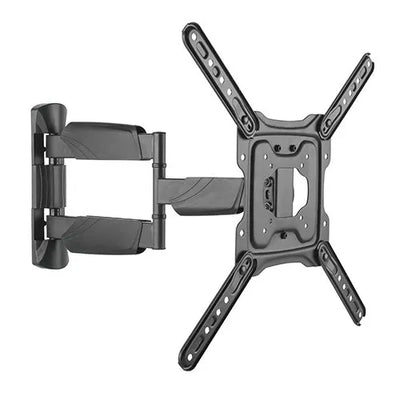
The display is a 75-inch commercial panel. It is sitting in its box in the boardroom, the client has a demo at 2pm, and the bracket you brought is rated to 50kg. You flip the panel spec sheet over: 42kg. That is fine. Then you look at the wall and realise the studs are 600mm centres and the bracket's mounting slots are 400mm apart. Now you are drilling into plasterboard and hoping, or you are driving back to the supplier. Quick answer: pick the bracket by motion type first, weight second, screen size last. Use fixed for digital signage and any flush install. Use tilt for anything mounted above eye level. Use full motion only where the panel genuinely needs to swing — corner offices, ward bays, reception desks. Then confirm the bracket's rated load is at least 1.5× the panel weight, and confirm the panel's VESA pattern before you leave the yard. Screen size ranges are a guide, not the constraint that matters. Fixed, tilt or full motion — how to choose Most bracket returns happen because someone bought on screen size alone. Screen size is the least useful number on the box. Start with how the panel needs to move. Fixed holds the panel flat and close to the wall. It is the cheapest, the strongest for its price, and the right default for digital signage, menu boards, and any panel at seated eye level. Less to go wrong, nothing to work loose. Tilt adds vertical angle. The moment a panel goes above eye level — a gym, a pub, a waiting room, above a fireplace — you need tilt or the viewer is looking at a reflection of the ceiling. This is the most commonly under-specified option on residential jobs. Full motion adds swivel and extension. It costs more, sits further off the wall, and puts far more leverage on the fixings. Specify it when the panel must serve two viewing positions, when you need rear access to ports after install, or when the client has asked for it and understands the trade-off. Fixed Tilt Full motion Best for Signage, flush installs, seated eye level Anything above eye level Corner rooms, dual viewing positions, rear port access Profile off wall Slimmest Slim Extends 510–515mm on CERTECH full-motion arms Load on fixings Lowest Low Highest — leverage multiplies at full extension Rear cable access after install Poor Limited Good Price range (inc GST) $60.19 – $85.27 $76.24 – $105.34 $60.43 – $181.27 Side profile comparison of fixed, tilt and full motion TV wall mount brackets Three cross-sections viewed from the side. A fixed bracket holds the panel flat and close to the wall. A tilt bracket angles the panel downward. A full motion bracket extends the panel away from the wall on a dual arm and swivels it. Fixed Slimmest profile, lowest load on the fixings Tilt Vertical angle only. Required above eye level Full motion extends to 510–515mm Swivel and extension. Highest leverage at the wall plate Choose by how the panel needs to move. Extension figures are from the CERTECH full-motion range. Getting the weight rating right Match the bracket's rated load to the panel's weight without its stand. Manufacturers quote shipping weight on the carton, which includes the stand, packaging and sometimes the remote. Use the figure from the panel's specification sheet. Then leave headroom. Work to a bracket rated at a minimum of 1.5× the panel weight. That covers the panel, plus a soundbar bracket, plus the loading someone applies when they lean on it to plug in an HDMI lead. On full-motion arms the margin matters more, because at full extension the same mass applies far greater turning force at the wall plate. The real cost of getting this wrong: a bracket is $60 to $180 inc GST. A 75-inch commercial panel is several thousand. A callback to re-mount a panel that has sagged costs you two hours plus the trip, and the client remembers it. Specifying one tier up costs about $25 and removes the argument entirely. What is VESA, and why it stops jobs VESA is the standardised hole pattern on the back of the panel, quoted in millimetres as horizontal × vertical — 200×200, 400×400, 600×400, and so on. The bracket must accept the panel's pattern. Screen size does not tell you the pattern: two 65-inch panels from different manufacturers can use different ones. Measure it before you order. Centre-to-centre, horizontally across two adjacent holes, then vertically. Check the figure against the pattern range on the product page for the bracket you are buying. How to measure a VESA mounting pattern on the back of a panel The rear of a flat panel display showing four mounting holes. The horizontal measurement is taken centre to centre between two adjacent holes across, and the vertical measurement centre to centre between two holes down. The pattern is quoted as horizontal by vertical in millimetres. Measuring the VESA pattern Rear of panel, stand removed H — horizontal V — vertical Always centre of hole to centre of hole. Quoted as H × V in millimetres — for example 400 × 400. Screen size does not predict the pattern. Two 65-inch panels from different manufacturers can differ. If the panel's pattern falls outside the bracket's range, a VESA adapter plate is the fix. Do not improvise with longer bolts into a pattern the bracket was not built for. What is behind the wall The bracket is only ever as good as what it is fixed to. This is where large-panel installs fail. Timber stud: straightforward. Fix into the stud centre, use the fixings supplied or better, and confirm you have caught timber rather than the edge. Steel stud: do not use standard timber fixings. Steel stud requires purpose-made toggle or channel fixings, and for heavy panels a timber or steel backing plate spanning at least two studs. Masonry and concrete: the strongest substrate, but use the correct sleeve or chemical anchor and drill to the specified depth. Do not use plastic wall plugs on anything heavy. Plasterboard alone: not acceptable for a mounted panel of any meaningful size, regardless of the anchor on the packet. Find structure or add backing. ⚠️ Fire-rated and acoustic walls: penetrating a fire-rated wall changes its rating. On commercial fitouts, confirm the wall type on the drawings before you drill and use the specified fire-rated make-good. This is a compliance item on handover, not a detail. Four wall substrates and whether each will carry a mounted panel Sections through four wall types. Timber stud accepts standard fixings into the stud centre. Steel stud requires purpose-made toggle or channel fixings. Masonry requires a sleeve or chemical anchor. Plasterboard with no structure behind it will not carry a mounted panel. Timber stud Fix to stud centre Confirm you have caught timber, not the edge Steel stud Toggle or channel fixings Heavy panels need backing across two studs Masonry Strongest substrate Sleeve or chemical anchor, drilled to specified depth Plasterboard only void Not acceptable Regardless of the anchor on the packet The bracket is only ever as good as what it is fixed to. Identify the substrate before you choose the fixing. The power point behind the panel Clients almost always want the cabling hidden, which means a new GPO behind the panel. Installing or relocating a socket outlet is electrical work under AS/NZS 3000 and must be carried out by a licensed electrician. Running an extension lead inside the wall cavity to achieve the same look is not a substitute and is not compliant. The data side is separate. Terminating structured cabling to a socket that connects to the telecommunications network requires ACMA cabling registration — Open or Restricted, depending on the work. If your scope covers the mount, the data drop and the power, make sure the right licence covers each part. When there is no wall — ceiling mounts Open-plan retail, gyms, hospitality floors and warehouses have the same problem: the panel needs to go where there is no wall to take it. An aisle-end display, a screen over a bar, a panel visible from both sides of a room. That is a ceiling mount, and it changes two things about how you specify. First, the load path runs straight down through the drop pole into the structure above, so the fixing at the top is doing all the work. That fixing goes into the slab, the purlin or the joist — never the suspended ceiling tile or the grid holding it. Confirm what is above the plasterboard before you commit a fixing to it. Second, height is now a variable you set. A telescopic drop lets you place the panel at the right level for a standing viewer, then tilt and swivel it at the head for sightlines. Get the drop right and the screen reads from across the room; get it wrong and it is either in the way or too high to watch comfortably. A ceiling mount with a telescopic drop pole carrying a panel below the structure A cross-section. A mounting plate fixes to the ceiling slab or joist. A telescopic drop pole hangs from it and is adjustable in height. At the base of the pole a pivot head allows the panel to tilt and swivel. The load runs straight down the pole into the structure above. Ceiling slab, purlin or joist — never the ceiling tile Telescopic drop height adjustable Tilt & swivel at the head load path to structure The top fixing carries everything. It goes into the structure above the ceiling, not the lining. CERTECH ceiling mount rated to 70kg. The CERTECH range, mapped to the job Every bracket below is CERTECH, held as Australian stock, and priced inc GST. Stock figures were correct at the time of writing — check the product page for current availability. Small panels and tight spaces — 23–55" 23–55" Full Motion Wall Mount Bracket — LCDFM2355, $60.43 inc GST, rated to 35kg, arm extends to 515mm. Best for: ward bays, reception desks, small offices where one panel serves two seats. Standard commercial and residential — 32–55" 32–55" Fixed Wall Mount Bracket — LCDFX3255, $60.19 inc GST, rated to 50kg. Best for: menu boards and signage at seated eye level. 32–55" Tilt Wall Mount Bracket — LCDT3255, $76.24 inc GST, rated to 50kg. Best for: panels above eye level in cafes, gyms and waiting rooms. 32–55" Full Motion Wall Mount Bracket — LCDFM3255, $108.90 inc GST, rated to 50kg, dual arm extending 510mm. Best for: corner installs needing genuine swivel. Boardrooms and larger displays — 37–70" 37–70" Fixed Wall Mount Bracket — LCDFX3770, $69.22 inc GST, rated to 50kg. Best for: boardroom panels sitting flush. 37–70" Tilt Wall Mount Bracket — LCDT3770, $85.27 inc GST, rated to 50kg. Best for: training rooms and elevated mounts. 37–70" Full Motion Wall Mount Bracket — LCDFM3770, $103.59 inc GST, rated to 50kg, dual arm extending 510mm. Best for: rooms where the panel serves both a table and a lectern position. Large format and video wall — 60–120" 60–120" Fixed Wall Mount Bracket — LCDFX60120, $85.27 inc GST, rated to 120kg, quick-release spring lock and cable management. Best for: large-format signage and auditorium displays. 60–120" Tilt Wall Mount Bracket — LCDT60120, $105.34 inc GST, rated to 120kg. Best for: high-mounted large panels in pubs, clubs and foyers. 60–120" Full Motion Wall Mount Bracket — LCDFM60120, $181.27 inc GST, rated to 120kg, with tilt, swivel and extension. Best for: the small number of large-format jobs that genuinely need articulation. Confirm your substrate first. No wall available — ceiling mount 43–86" Ceiling Mount Bracket — LCDCM4386, $89.65 inc GST, rated to 70kg, with tilt, swivel, a telescopic height-adjustable drop and cable management through the pole. Best for: aisle-end retail displays, screens over a bar, gym and warehouse panels, and any double-sided viewing position where no wall is available. Fix the head to the slab or joist, never the suspended ceiling. On-site checklist Get the panel weight from the specification sheet, not the carton. Measure the VESA pattern centre-to-centre, horizontal and vertical. Choose motion type by how the panel needs to move, not by screen size. Select a bracket rated to at least 1.5× the panel weight. Identify the substrate and confirm you have structure, not just plasterboard. Check the drawings for fire-rated or acoustic wall construction before drilling. Confirm mount height — centre of screen at seated eye level unless the brief says otherwise. Book the licensed electrician for any new GPO, and confirm ACMA registration covers the data drop. Dry-fit the wall plate and check level across the full width before final fixing. Dress and secure cabling before the panel goes on, especially on fixed brackets. Frequently asked questions Can I mount a TV on plasterboard without hitting a stud? Not for anything of meaningful size. Plasterboard anchors are rated for picture frames and light shelving, not a panel on a lever arm. Find the studs, or fit a timber or steel backing plate spanning at least two studs and fix the bracket to that. How do I work out the VESA pattern? Measure centre-to-centre between two adjacent mounting holes on the back of the panel — horizontally first, then vertically. That gives you a figure like 400×400 in millimetres. Check it against the bracket's stated range before ordering, because screen size does not predict it. Do I need a licensed electrician to install a TV bracket? Not for the bracket itself. You do need a licensed electrician for any new or relocated power point under AS/NZS 3000, which most concealed-cable installs require. Data cabling connected to the telecommunications network requires ACMA cabling registration. What height should the panel be mounted at? Centre of screen at seated eye level for boardrooms, lounges and waiting areas — roughly 1000 to 1200mm from finished floor level depending on seating. Signage and pub installs go higher by necessity, which is exactly when you specify tilt rather than fixed. Is full motion worth the extra cost? Only when the panel genuinely needs to move. It costs more, sits further off the wall, and loads the fixings harder. If the client wants it for rear port access rather than viewing angle, a fixed bracket plus a properly planned cable run usually serves better for less. Can one bracket handle a curved panel? The CERTECH fixed and tilt brackets in the 32–55" and 37–70" ranges are specified for curved and flat panels. Confirm the VESA pattern as normal, and note that curved panels sit slightly further off the wall at the edges. The bottom line Choose the motion type by how the panel has to move, then confirm the bracket is rated to at least 1.5× the panel's true weight, then check the VESA pattern. Screen size is the last thing to worry about, not the first. Fixed suits most signage and flush installs, tilt is mandatory above eye level, and full motion earns its cost only where the panel genuinely needs to swing. Whatever you choose, the substrate behind the wall decides whether it holds. Order from SparkyZone Browse the full TV wall mount and bracket range. Every bracket is held as Australian stock with local warranty support. Order before 2pm AEST Monday to Friday for same-day dispatch. Free shipping on orders over $300, Australia-wide including regional. ABN invoicing available on every order, and 30-day hassle-free returns. Need a bracket schedule priced against a drawing set? Send the BOM to sales@sparkyzone.com.au and we will quote it. Mon–Fri 8am–5pm, Sat 9am–1pm. Related guides Cat6A cable roll buying guide for Australian installers — specifying the data drop that feeds the panel. AS/CA S008 cabling compliance in plain English — what registration you need for the cabling side of an AV install. References AS/NZS 3000 — Electrical installations (Wiring Rules), for socket outlet installation requirements. AS/CA S008 — Requirements for customer cabling products and installation. CERTECH product specifications for the LCDFX, LCDT and LCDFM bracket series. Pricing and stock verified against live SparkyZone catalogue data, 24 July 2026. All prices AUD inc GST.
Read article
T568A vs T568B — Which Wiring Standard for Australian Installs?
You are at the patch panel, punchdown tool in hand, twenty-four runs to terminate before knock-off. The new apprentice on the crew looks over your shoulder and asks the question: "Are we doing A or B?" The wrong answer here is the kind of thing that turns into a recrimination call at 6pm on a Friday — the client's switch will not come up, every port shows link-down, and you are driving back to site to redo terminations you finished six hours ago. So here is the straight answer for an Australian commercial install, no preamble: use T568B. Same as everyone else. Same as the patch leads you bought off the shelf. And whatever you pick, do not mix it on the same run. Below is the why — short enough to read between coffees, detailed enough that you can hand it to the apprentice and stop having the same conversation every job. What T568A and T568B Actually Are T568A and T568B are the two pin-pair assignments defined by the TIA-568 cabling standard for terminating an 8-position RJ45 connector. They tell you which colour wire goes on which pin of the keystone, jack, plug, or patch panel. The only practical difference between the two is that pairs 2 and 3 are swapped. Pins 1 and 2 carry one pair, pins 3 and 6 carry the other, but the colours on those pins flip between the standards. Everything else — pair 1 (pins 4 and 5) and pair 4 (pins 7 and 8) — is identical in both. Electrically, they are equivalent. Both will run Cat5e, Cat6, and Cat6A at full rated speed. Neither is faster, neither is more reliable, neither passes certification more easily. The standard is just a colour-to-pin convention so that everyone wiring an outlet does it the same way. Which Standard Is Used in Australia T568B is the de facto commercial standard in Australia. Walk into any data installation done in the last decade across an Australian commercial fit-out and you will find T568B at the patch panel, T568B at the wall outlet, and T568B in the pre-made patch leads sitting in the comms cabinet. The vast majority of patch panels, keystones, jacks, and factory-terminated patch leads sold through Australian trade channels are wired T568B by default. If a product spec sheet does not call out which standard a keystone is wired to, it almost always means T568B — manufacturers only specify the standard when they break from the default. For a new commercial install in Australia, there is no good reason to deviate. The hardware, the documentation, the patch leads, and the muscle memory of every cabler who will ever work on the system are all calibrated to T568B. T568B pin-out (the reference card): Pin 1: White/Orange Pin 2: Orange Pin 3: White/Green Pin 4: Blue Pin 5: White/Blue Pin 6: Green Pin 7: White/Brown Pin 8: Brown When T568A Is Actually Required T568A is not extinct, and on a small number of jobs you do need to use it. Three situations come up: ✓ US government and some Defence specs — US federal procurement traditionally specifies T568A, and those requirements occasionally flow through to Australian government, Defence, and contractor specs that reference US standards. If the spec sheet says T568A, it is T568A. ✓ Older installed bases — Some older Australian installs, particularly in legacy telco environments and structured cabling done in the 1990s and early 2000s, were terminated to T568A. If you are extending or patching into one of these, match the existing standard. ✓ Backward compatibility with USOC residential wiring — T568A maintains pair 2 on pins 3 and 6, which lines up with the older one-line and two-line USOC voice schemes. Almost never relevant on a modern commercial data install, but worth knowing if you are working in a hybrid voice/data environment. The rule of thumb: if nobody has told you to use T568A, you do not need to use T568A. If you are extending an existing installation, test what is already there before assuming. T568A vs T568B — Quick Comparison Feature T568A T568B Pair 2 colour (pins 1 & 2) White/Green & Green White/Orange & Orange Pair 3 colour (pins 3 & 6) White/Orange & Orange White/Green & Green Standard in Australia No — rare on new installs Yes — de facto commercial default Common in AU government / Defence Sometimes specified — read the spec Common unless spec says otherwise Used in crossover cables Yes — one end of the cable Yes — the other end Pre-made patch leads default Rare — usually special order Yes — virtually all stock leads Electrical performance Identical to T568B Identical to T568A The One Rule That Actually Matters Forget A versus B for a second. Here is the rule that decides whether your install works or whether you are coming back tomorrow: Both ends of every run must be terminated to the same standard. If the patch panel is T568B and the wall outlet is T568A, you have not made a Cat6A run. You have made a crossover cable. Pairs 2 and 3 are swapped, the switch will not negotiate a normal link on most ports, and the run will fail certification on wire mapping. This is the single most common termination mistake on commercial jobs, and it almost always happens because two different cablers worked on the same install on different days and never agreed on a standard. Mix the standards on a run and you have a crossover. It will not pass certification. Symptom: Link-down on every port, or auto-MDIX masking the fault on some switches and not others Test result: Wire map fail — pairs 2 and 3 reversed end-to-end Cause: Two terminators, no agreed standard, no labelling on the patch panel Fix: Re-terminate one end. Always the cheaper end to redo (usually the outlet, not the patch panel). Crossover Cables — The Only Time You Mix Standards There is exactly one legitimate use for mixing T568A and T568B on the same cable: building a crossover cable. T568A on one end, T568B on the other, and you have swapped the transmit and receive pairs — what you used to need to connect two PCs directly, or two switches without an uplink port, or a router straight into another router. In practice, you will rarely build one. Almost every modern switch, NIC, and router supports auto-MDI/MDIX, which detects and corrects the pair assignment automatically. A straight-through patch lead works for everything you would have needed a crossover for fifteen years ago. But it is worth knowing the trick exists, because every now and then you will run into very old gear that does not support auto-MDIX and a crossover is the cheapest fix. If you are handed an unmarked patch lead and the network will not come up, test it before assuming. A cable tester will tell you in three seconds whether you are holding a straight-through or a crossover. No tester in the van? A basic wire-map tester pays for itself the first time it catches a swapped pair before the head contractor's Fluke does. We stock cable testers, punchdown tools and termination gear — Australian stock, same-day dispatch. Browse Tools & Testers → Practical Advice for a New Install For any new commercial install in Australia in 2026, here is the playbook. Stick to it on every job and you will never have the A-versus-B argument on site again. ✓ Pick T568B and never deviate. Make it a standing rule for the company. Every cabler on the crew terminates to T568B unless a written spec says otherwise. ✓ Document it on the Record of Installation. One line on the ROI: "All terminations T568B." It is what the next cabler reads in five years when they patch into your work. ✓ Label the patch panel. A small label on the front of the panel saying "T568B" costs you ten seconds and saves the next person a guess. ✓ Buy T568B-wired hardware. Stock T568B keystones, T568B patch panels, and T568B factory patch leads. If everything in your van is wired the same way, you cannot accidentally mix standards. ✓ Tell the apprentice once. Show them the colour order at the start of their first cabling job, write it on the inside of their tool case, and the question never comes up again. The practical rule: New install? Choose T568B. Document it. Never deviate. The job stays consistent, the next cabler can read your work, and the patch leads always match the panel. Inheriting an Existing Install Half the cabling work in Australia is not greenfield — it is extending, patching, or replacing runs in a building that already has cable in the ceiling. When you walk into one of these jobs, the rule changes. Test before you terminate. Pop the cover off an existing keystone or a known-good patch panel port and look at the colour order on the punchdown. If you can see white-orange and orange on pins 1 and 2, it is T568B. If you can see white-green and green on pins 1 and 2, it is T568A. Better still, plug a cable tester into a known-good outlet and confirm wire mapping before assuming anything. If the existing install is T568A throughout, keep it T568A. Match the standard, finish the job, and move on. If you find an existing install that has been mixed — some runs T568A, some T568B, no labelling, no ROI — that is your fault call to the building manager right there. Not your problem to inherit, but it is your problem to flag in writing before you put your tools on the job. Bottom Line If you are terminating Cat6 or Cat6A on a commercial install in Australia and nobody has handed you a spec that says otherwise, use T568B. It is the default in the country, the default on every keystone and patch panel sold through trade channels, and the default on every factory patch lead in the comms cabinet. There is no good reason to choose T568A unless a written spec calls for it, and there is no electrical advantage to either standard over the other. The decision is not really about A versus B. It is about consistency — pick one, document it, label the panel, and never mix it on a single run. That is the rule that keeps the install certified and keeps you off the callback list. Need T568B-wired hardware? SparkyZone has it in stock. Patch panels, keystones, patch leads and Cat6A cable rolls all wired to T568B as standard. Australian stock, ABN-invoiced, same-day dispatch before 2pm AEST, free shipping over $300. Spec the install once, order from one supplier, and every termination matches every patch lead. Shop Cat6A Patch Leads → Shop Cat6A Cable Rolls → Trade account? Email sales@sparkyzone.com.au for project pricing on multi-panel orders.
Read article