












You are at the patch panel, punchdown tool in hand, twenty-four runs to terminate before knock-off. The new apprentice on the crew looks over your shoulder and asks the question: "Are we doing A or B?" The wrong answer here is the kind of thing that turns into a recrimination call at 6pm on a Friday — the client's switch will not come up, every port shows link-down, and you are driving back to site to redo terminations you finished six hours ago.
So here is the straight answer for an Australian commercial install, no preamble: use T568B. Same as everyone else. Same as the patch leads you bought off the shelf. And whatever you pick, do not mix it on the same run.
Below is the why — short enough to read between coffees, detailed enough that you can hand it to the apprentice and stop having the same conversation every job.
What T568A and T568B Actually Are
T568A and T568B are the two pin-pair assignments defined by the TIA-568 cabling standard for terminating an 8-position RJ45 connector. They tell you which colour wire goes on which pin of the keystone, jack, plug, or patch panel.
The only practical difference between the two is that pairs 2 and 3 are swapped. Pins 1 and 2 carry one pair, pins 3 and 6 carry the other, but the colours on those pins flip between the standards. Everything else — pair 1 (pins 4 and 5) and pair 4 (pins 7 and 8) — is identical in both.
Electrically, they are equivalent. Both will run Cat5e, Cat6, and Cat6A at full rated speed. Neither is faster, neither is more reliable, neither passes certification more easily. The standard is just a colour-to-pin convention so that everyone wiring an outlet does it the same way.
Which Standard Is Used in Australia
T568B is the de facto commercial standard in Australia. Walk into any data installation done in the last decade across an Australian commercial fit-out and you will find T568B at the patch panel, T568B at the wall outlet, and T568B in the pre-made patch leads sitting in the comms cabinet.
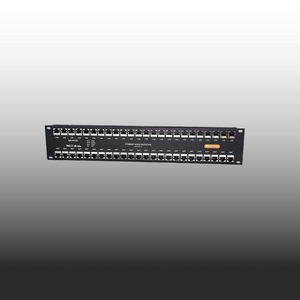
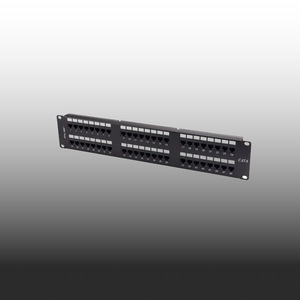
The vast majority of patch panels, keystones, jacks, and factory-terminated patch leads sold through Australian trade channels are wired T568B by default. If a product spec sheet does not call out which standard a keystone is wired to, it almost always means T568B — manufacturers only specify the standard when they break from the default.
For a new commercial install in Australia, there is no good reason to deviate. The hardware, the documentation, the patch leads, and the muscle memory of every cabler who will ever work on the system are all calibrated to T568B.
T568B pin-out (the reference card):
- Pin 1: White/Orange
- Pin 2: Orange
- Pin 3: White/Green
- Pin 4: Blue
- Pin 5: White/Blue
- Pin 6: Green
- Pin 7: White/Brown
- Pin 8: Brown
When T568A Is Actually Required
T568A is not extinct, and on a small number of jobs you do need to use it. Three situations come up:
- ✓ US government and some Defence specs — US federal procurement traditionally specifies T568A, and those requirements occasionally flow through to Australian government, Defence, and contractor specs that reference US standards. If the spec sheet says T568A, it is T568A.
- ✓ Older installed bases — Some older Australian installs, particularly in legacy telco environments and structured cabling done in the 1990s and early 2000s, were terminated to T568A. If you are extending or patching into one of these, match the existing standard.
- ✓ Backward compatibility with USOC residential wiring — T568A maintains pair 2 on pins 3 and 6, which lines up with the older one-line and two-line USOC voice schemes. Almost never relevant on a modern commercial data install, but worth knowing if you are working in a hybrid voice/data environment.
The rule of thumb: if nobody has told you to use T568A, you do not need to use T568A. If you are extending an existing installation, test what is already there before assuming.
T568A vs T568B — Quick Comparison
| Feature | T568A | T568B |
|---|---|---|
| Pair 2 colour (pins 1 & 2) | White/Green & Green | White/Orange & Orange |
| Pair 3 colour (pins 3 & 6) | White/Orange & Orange | White/Green & Green |
| Standard in Australia | No — rare on new installs | Yes — de facto commercial default |
| Common in AU government / Defence | Sometimes specified — read the spec | Common unless spec says otherwise |
| Used in crossover cables | Yes — one end of the cable | Yes — the other end |
| Pre-made patch leads default | Rare — usually special order | Yes — virtually all stock leads |
| Electrical performance | Identical to T568B | Identical to T568A |
The One Rule That Actually Matters
Forget A versus B for a second. Here is the rule that decides whether your install works or whether you are coming back tomorrow:
Both ends of every run must be terminated to the same standard.
If the patch panel is T568B and the wall outlet is T568A, you have not made a Cat6A run. You have made a crossover cable. Pairs 2 and 3 are swapped, the switch will not negotiate a normal link on most ports, and the run will fail certification on wire mapping. This is the single most common termination mistake on commercial jobs, and it almost always happens because two different cablers worked on the same install on different days and never agreed on a standard.
Mix the standards on a run and you have a crossover. It will not pass certification.
- Symptom: Link-down on every port, or auto-MDIX masking the fault on some switches and not others
- Test result: Wire map fail — pairs 2 and 3 reversed end-to-end
- Cause: Two terminators, no agreed standard, no labelling on the patch panel
- Fix: Re-terminate one end. Always the cheaper end to redo (usually the outlet, not the patch panel).
Crossover Cables — The Only Time You Mix Standards
There is exactly one legitimate use for mixing T568A and T568B on the same cable: building a crossover cable. T568A on one end, T568B on the other, and you have swapped the transmit and receive pairs — what you used to need to connect two PCs directly, or two switches without an uplink port, or a router straight into another router.
In practice, you will rarely build one. Almost every modern switch, NIC, and router supports auto-MDI/MDIX, which detects and corrects the pair assignment automatically. A straight-through patch lead works for everything you would have needed a crossover for fifteen years ago. But it is worth knowing the trick exists, because every now and then you will run into very old gear that does not support auto-MDIX and a crossover is the cheapest fix.
If you are handed an unmarked patch lead and the network will not come up, test it before assuming. A cable tester will tell you in three seconds whether you are holding a straight-through or a crossover.
No tester in the van? A basic wire-map tester pays for itself the first time it catches a swapped pair before the head contractor's Fluke does. We stock cable testers, punchdown tools and termination gear — Australian stock, same-day dispatch. Browse Tools & Testers →
Practical Advice for a New Install
For any new commercial install in Australia in 2026, here is the playbook. Stick to it on every job and you will never have the A-versus-B argument on site again.
- ✓ Pick T568B and never deviate. Make it a standing rule for the company. Every cabler on the crew terminates to T568B unless a written spec says otherwise.
- ✓ Document it on the Record of Installation. One line on the ROI: "All terminations T568B." It is what the next cabler reads in five years when they patch into your work.
- ✓ Label the patch panel. A small label on the front of the panel saying "T568B" costs you ten seconds and saves the next person a guess.
- ✓ Buy T568B-wired hardware. Stock T568B keystones, T568B patch panels, and T568B factory patch leads. If everything in your van is wired the same way, you cannot accidentally mix standards.
- ✓ Tell the apprentice once. Show them the colour order at the start of their first cabling job, write it on the inside of their tool case, and the question never comes up again.
The practical rule: New install? Choose T568B. Document it. Never deviate. The job stays consistent, the next cabler can read your work, and the patch leads always match the panel.
Inheriting an Existing Install
Half the cabling work in Australia is not greenfield — it is extending, patching, or replacing runs in a building that already has cable in the ceiling. When you walk into one of these jobs, the rule changes.
Test before you terminate. Pop the cover off an existing keystone or a known-good patch panel port and look at the colour order on the punchdown. If you can see white-orange and orange on pins 1 and 2, it is T568B. If you can see white-green and green on pins 1 and 2, it is T568A. Better still, plug a cable tester into a known-good outlet and confirm wire mapping before assuming anything.
If the existing install is T568A throughout, keep it T568A. Match the standard, finish the job, and move on. If you find an existing install that has been mixed — some runs T568A, some T568B, no labelling, no ROI — that is your fault call to the building manager right there. Not your problem to inherit, but it is your problem to flag in writing before you put your tools on the job.
Bottom Line
If you are terminating Cat6 or Cat6A on a commercial install in Australia and nobody has handed you a spec that says otherwise, use T568B. It is the default in the country, the default on every keystone and patch panel sold through trade channels, and the default on every factory patch lead in the comms cabinet. There is no good reason to choose T568A unless a written spec calls for it, and there is no electrical advantage to either standard over the other.
The decision is not really about A versus B. It is about consistency — pick one, document it, label the panel, and never mix it on a single run. That is the rule that keeps the install certified and keeps you off the callback list.
Need T568B-wired hardware? SparkyZone has it in stock.
Patch panels, keystones, patch leads and Cat6A cable rolls all wired to T568B as standard. Australian stock, ABN-invoiced, same-day dispatch before 2pm AEST, free shipping over $300. Spec the install once, order from one supplier, and every termination matches every patch lead.
Trade account? Email sales@sparkyzone.com.au for project pricing on multi-panel orders.
