







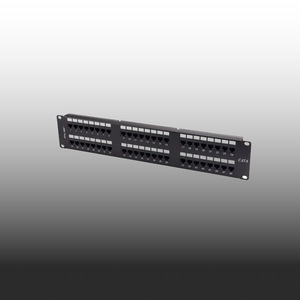

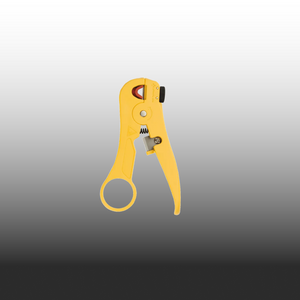


10G Ready.
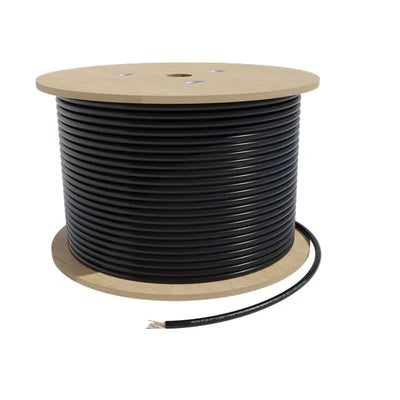
305m. Built To Last
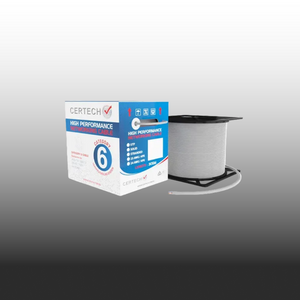
Cat6A solid copper cable that handles the speed your jobs demand.

Same Day Dispatch
Order before 2pm AEST for same day dispatch
100% Australian stock
Free shipping over $300

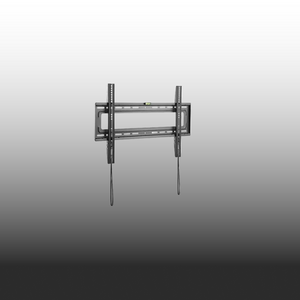
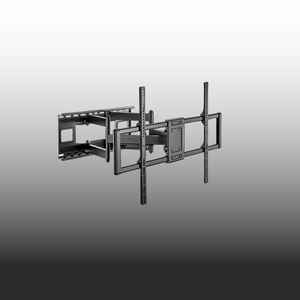
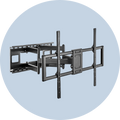
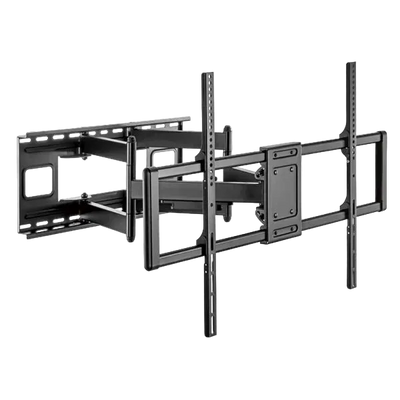
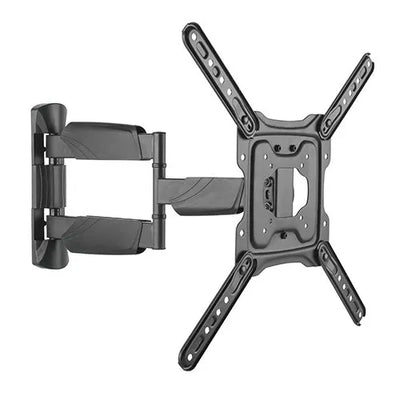
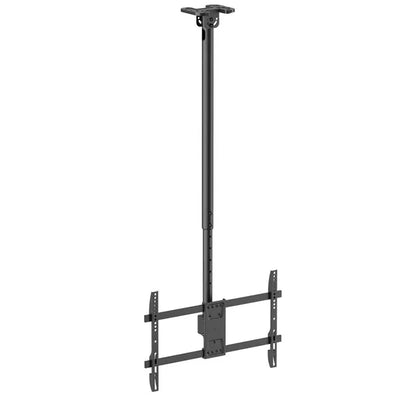
Mount Anything, Anywhere.
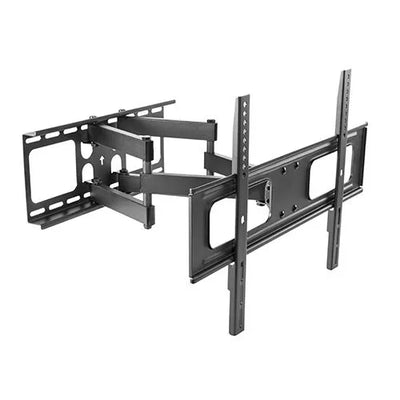
Steel construction holds 60–120″ displays. Full-motion flex. Built to last.
Australian Owned & Operated
Local team, local support
Certified to Australian Standards
All products meet Australian standards
Free Shipping on Orders Over $300
Save more when you stock up.
End to end Support
Has your back every step of the way.

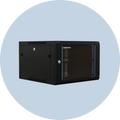
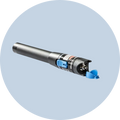
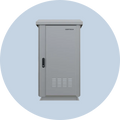
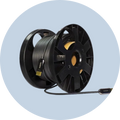
CAT6A Cable Rolls
Best Selling

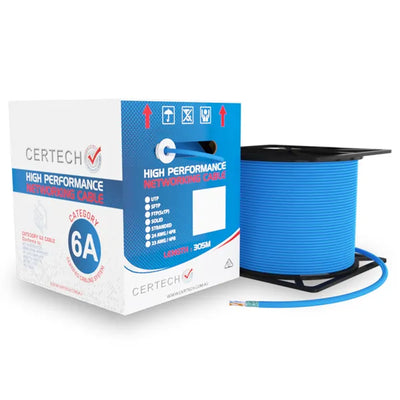
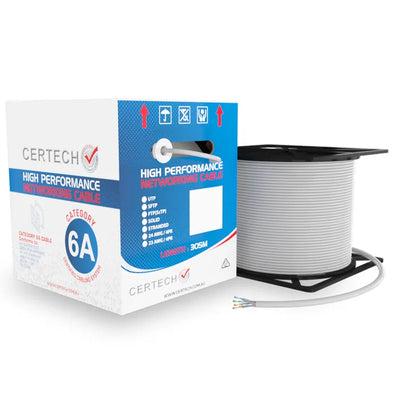
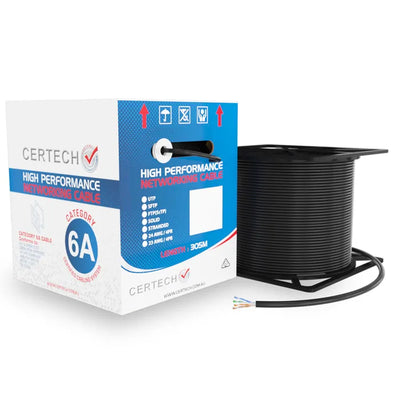
Top Sellers
Why Buy From Us?
We're committed to providing the best products and service in the industry
Certified for Australian Standards
All our products are tested and certified to meet Australian standards
Same Day Dispatch
Same day dispatch for orders placed before 2PM AEST
Local Stock
100% Australian stock. No waiting for overseas shipping. Local warranty support.
Easy Returns
30-day hassle-free returns for your peace of mind
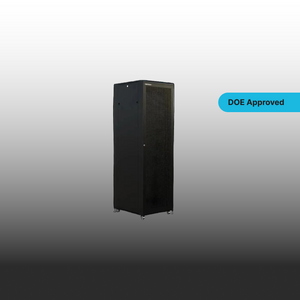
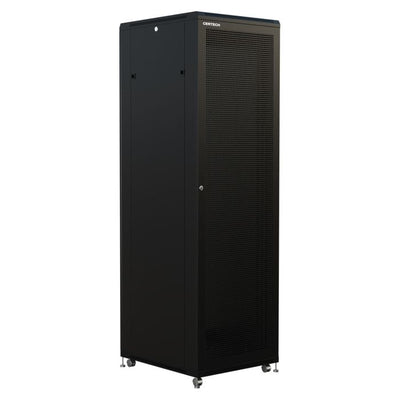
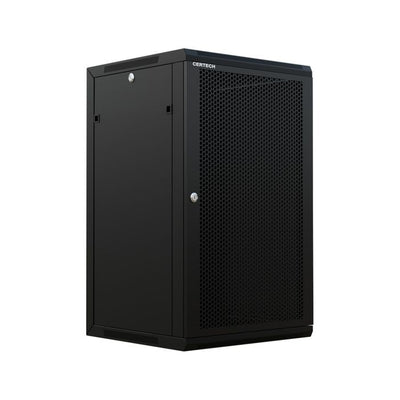
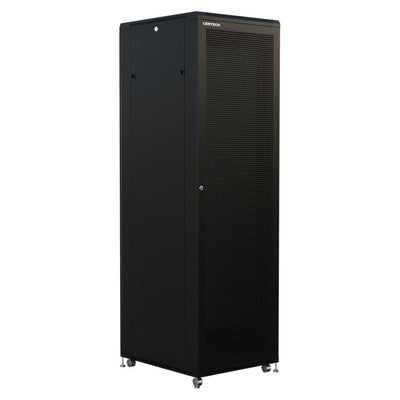
DOE Approved Server Racks
Designed to meet the DoE standards and requirements for education precincts

From Our Blog

TV Wall Mount Buying Guide for Australian Installers
Last month, an AV installer in Brisbane hung a 75-inch Samsung commercial panel on a $22 consumer bracket rated for 30kg. The display weighed 42kg. Three weeks later, the bracket's stamped-steel arm fatigued, the panel dropped 1.5 metres onto a reception desk, and the client filed a damage claim. The bracket "fit" the screen size, but it was never engineered for the weight, the duty cycle, or the wall structure of a commercial fitout. This guide covers what AV installers, electricians, and IT professionals actually need to know when selecting TV wall mount brackets for commercial projects in Australia: mount types, VESA standards, weight ratings, and the CERTECH bracket range available at SparkyZone. Fixed vs Tilt vs Full Motion — Which Mount for Which Job Every commercial install starts with one question: does the display need to move? The answer determines the mount type, wall loading, and bracket cost. Fixed Tilt Full Motion Wall clearance 25-35mm 45-65mm 50-500mm+ Movement None 5-15 degrees down Pan, tilt, swivel Best for Signage, reception, menu boards Elevated installs, boardrooms Meeting rooms, corners, multi-use Wall load Lightest Moderate Highest (structural mount required) Cable access Limited Moderate Excellent (pull panel away from wall) Fixed mounts lock the display flat with zero articulation — no moving parts to wear out. Ideal for permanent signage and reception displays. Tilt mounts add a single axis of downward angle, solving glare and viewing angle problems on elevated screens without extending from the wall. Full motion mounts extend on a jointed arm for pan, tilt, and swivel. Essential for meeting rooms, corner installations, and any space where the optimal viewing position shifts. The trade-off with full motion is mechanical complexity. The extending arm creates a lever that amplifies pull on wall fasteners. Plasterboard installs must reach structural timber or use a backing plate. VESA Patterns and Weight Ratings Common VESA Patterns by Display Size: 100 x 100mm: 19-27" monitors, M4 bolts 200 x 200mm: 32-43" displays, M6 bolts 400 x 400mm: 55-65" (most common commercial pattern), M6 bolts 600 x 400mm: 65-85" large-format panels, M8 bolts 800 x 400mm+: 85-120" commercial signage, M8 bolts Always confirm the VESA pattern on the display's spec sheet. Do not assume from screen size. Some ultra-thin consumer panels use non-standard patterns regardless of screen dimensions. Weight ratings matter more than screen size. A consumer 65-inch TV weighs 18-25kg; a commercial 65-inch signage panel with a metal chassis and built-in media player can hit 30-45kg. Best practice: select a bracket rated for at least 1.5x the actual display weight to account for dynamic loading (bumps, vibration, and fastener fatigue over years of service). ⚠️ Bolt warning: Always use the bolts supplied with the bracket or display. Incorrect bolt length can damage internal panel components or fail to engage sufficient thread depth. Keep spare M6 and M8 bolts in 12mm, 16mm, 20mm, and 25mm lengths for jobs where spacers change the required length. Commercial Install Essentials The bracket is one component of a compliant commercial mount. Wall structure determines fastener selection: timber stud walls need coach screws spanning at least two studs; masonry requires concrete sleeve or chemical anchors rated for shear and pull-out; steel stud walls need through-bolting to a plywood or steel backing plate. Concealed cabling is standard in commercial work. Under AS/NZS 3000 (the Wiring Rules), a licensed electrician must install mains power through a wall cavity. It is illegal for an AV installer without an electrical licence to do this. Install a recessed power and AV outlet box behind the display, and allow extra cable length for full motion arms. Installation Checklist ✓ Scan with a stud finder (AC detection) before drilling. Commercial walls carry conduit and fire services ✓ Level the bracket, not the display. Asymmetric load shortens bracket life ✓ Pre-run and test all cables before mounting the panel ✓ Two-person lift for anything over 55". A 75" display is 1.6m wide ✓ Leave 50mm clearance above and below for ventilation on displays running 12-16 hours per day ✓ Photograph the wall cavity before closing up for future upgrade reference Commercial vs Consumer: The Real Cost Calculation A consumer TV bracket costs $22–45 from a hardware chain. A commercial-grade bracket costs $66–200. That difference feels meaningful when you're quoting a job — until you do the maths on what a failure actually costs. Consumer Bracket Commercial Bracket Upfront cost $22–45 $66–200 Rated duty cycle 8 hrs/day, residential 16+ hrs/day, commercial Cost of failure Panel replacement + rework labour + client damage claim Near zero — built to outlast the display Liability exposure High — no commercial rating to defend Low — rated spec documented in writing The $150 gap between a consumer and commercial bracket covers a fraction of one hour's rework labour. On a commercial project with a 3–5 year service expectation, the commercial bracket is the cheaper option before the job is even finished. Quote it separately as a line item — "commercial-grade bracket with rated weight capacity" — and clients rarely push back. They understand the liability argument immediately. CERTECH Bracket Range at SparkyZone SparkyZone carries the full CERTECH range of commercial-grade TV wall mount brackets. Steel construction, standard VESA patterns, and all mounting hardware included. These are not consumer-grade brackets; they are built for the weight and duty cycle of commercial installations. Fixed Mounts: LCDFX3255 — 32-55" | From $66.41 inc. GST LCDFX3770 — 37-70" | From $76.37 inc. GST LCDFX60120 — 60-120" heavy-duty | From $94.07 inc. GST Tilt Mounts: LCDT3255 — 32-55" | From $84.12 inc. GST LCDT3770 — 37-70" | From $94.07 inc. GST LCDT60120 — 60-120" heavy-duty | From $116.20 inc. GST Full Motion Mounts: LCDFM2355 — 23-55" | From $77.47 inc. GST LCDFM3255 — 32-55" | From $121.74 inc. GST LCDFM3770 — 37-70" | From $132.81 inc. GST LCDFM60120 — 60-120" heavy-duty | From $199.40 inc. GST 💰 Why Tradies Choose SparkyZone: ABN invoicing available. Free shipping on orders over $300. Same-day dispatch before 2pm AEST from Australian stock. Frequently Asked Questions What VESA pattern does my display use? Check the display's specification sheet — VESA is listed as a width x height measurement in millimetres (e.g. 400 x 400). Do not assume from screen size; some panels use non-standard patterns. The most common commercial pattern for 55-65" screens is 400 x 400mm. Can I mount a commercial display on plasterboard? Not on plasterboard alone. Fasteners must reach structural timber studs, or you need a plywood/steel backing plate behind the plasterboard. Toggle bolts are rated for static loads only and will fatigue under the cyclical loading of a full motion arm or a heavy panel. Who is legally allowed to run power cable for a wall-mounted TV in Australia? A licensed electrician. Under AS/NZS 3000 (the Wiring Rules), it is illegal for an AV installer without an electrical licence to run mains power cable through a wall cavity. Install a recessed outlet box and have a sparky connect the supply. What safety margin should I allow on bracket weight ratings? Spec a bracket rated for at least 1.5x the actual display weight. A 30kg panel should go on a bracket rated for 45kg or more. This accounts for dynamic loading from bumps, HVAC vibration, and fastener fatigue over years of continuous use. Ready to spec your next install? Full CERTECH bracket range in stock. Same-day dispatch before 2pm AEST. ABN invoicing available. Shop TV Mounts Get a Project Quote Related guides: Extending your HDMI signal over long runs in commercial fit-outs: HDMI Cables, Extenders & AV Guide for Trade Installers Specifying the structured cabling backbone behind your AV infrastructure: Cat6A Cable Rolls Australia — Bulk Network Cable Buying Guide
Read article
T568A vs T568B — Which Wiring Standard for Australian Installs?
You are at the patch panel, punchdown tool in hand, twenty-four runs to terminate before knock-off. The new apprentice on the crew looks over your shoulder and asks the question: "Are we doing A or B?" The wrong answer here is the kind of thing that turns into a recrimination call at 6pm on a Friday — the client's switch will not come up, every port shows link-down, and you are driving back to site to redo terminations you finished six hours ago. So here is the straight answer for an Australian commercial install, no preamble: use T568B. Same as everyone else. Same as the patch leads you bought off the shelf. And whatever you pick, do not mix it on the same run. Below is the why — short enough to read between coffees, detailed enough that you can hand it to the apprentice and stop having the same conversation every job. What T568A and T568B Actually Are T568A and T568B are the two pin-pair assignments defined by the TIA-568 cabling standard for terminating an 8-position RJ45 connector. They tell you which colour wire goes on which pin of the keystone, jack, plug, or patch panel. The only practical difference between the two is that pairs 2 and 3 are swapped. Pins 1 and 2 carry one pair, pins 3 and 6 carry the other, but the colours on those pins flip between the standards. Everything else — pair 1 (pins 4 and 5) and pair 4 (pins 7 and 8) — is identical in both. Electrically, they are equivalent. Both will run Cat5e, Cat6, and Cat6A at full rated speed. Neither is faster, neither is more reliable, neither passes certification more easily. The standard is just a colour-to-pin convention so that everyone wiring an outlet does it the same way. Which Standard Is Used in Australia T568B is the de facto commercial standard in Australia. Walk into any data installation done in the last decade across an Australian commercial fit-out and you will find T568B at the patch panel, T568B at the wall outlet, and T568B in the pre-made patch leads sitting in the comms cabinet. The vast majority of patch panels, keystones, jacks, and factory-terminated patch leads sold through Australian trade channels are wired T568B by default. If a product spec sheet does not call out which standard a keystone is wired to, it almost always means T568B — manufacturers only specify the standard when they break from the default. For a new commercial install in Australia, there is no good reason to deviate. The hardware, the documentation, the patch leads, and the muscle memory of every cabler who will ever work on the system are all calibrated to T568B. T568B pin-out (the reference card): Pin 1: White/Orange Pin 2: Orange Pin 3: White/Green Pin 4: Blue Pin 5: White/Blue Pin 6: Green Pin 7: White/Brown Pin 8: Brown When T568A Is Actually Required T568A is not extinct, and on a small number of jobs you do need to use it. Three situations come up: ✓ US government and some Defence specs — US federal procurement traditionally specifies T568A, and those requirements occasionally flow through to Australian government, Defence, and contractor specs that reference US standards. If the spec sheet says T568A, it is T568A. ✓ Older installed bases — Some older Australian installs, particularly in legacy telco environments and structured cabling done in the 1990s and early 2000s, were terminated to T568A. If you are extending or patching into one of these, match the existing standard. ✓ Backward compatibility with USOC residential wiring — T568A maintains pair 2 on pins 3 and 6, which lines up with the older one-line and two-line USOC voice schemes. Almost never relevant on a modern commercial data install, but worth knowing if you are working in a hybrid voice/data environment. The rule of thumb: if nobody has told you to use T568A, you do not need to use T568A. If you are extending an existing installation, test what is already there before assuming. T568A vs T568B — Quick Comparison Feature T568A T568B Pair 2 colour (pins 1 & 2) White/Green & Green White/Orange & Orange Pair 3 colour (pins 3 & 6) White/Orange & Orange White/Green & Green Standard in Australia No — rare on new installs Yes — de facto commercial default Common in AU government / Defence Sometimes specified — read the spec Common unless spec says otherwise Used in crossover cables Yes — one end of the cable Yes — the other end Pre-made patch leads default Rare — usually special order Yes — virtually all stock leads Electrical performance Identical to T568B Identical to T568A The One Rule That Actually Matters Forget A versus B for a second. Here is the rule that decides whether your install works or whether you are coming back tomorrow: Both ends of every run must be terminated to the same standard. If the patch panel is T568B and the wall outlet is T568A, you have not made a Cat6A run. You have made a crossover cable. Pairs 2 and 3 are swapped, the switch will not negotiate a normal link on most ports, and the run will fail certification on wire mapping. This is the single most common termination mistake on commercial jobs, and it almost always happens because two different cablers worked on the same install on different days and never agreed on a standard. Mix the standards on a run and you have a crossover. It will not pass certification. Symptom: Link-down on every port, or auto-MDIX masking the fault on some switches and not others Test result: Wire map fail — pairs 2 and 3 reversed end-to-end Cause: Two terminators, no agreed standard, no labelling on the patch panel Fix: Re-terminate one end. Always the cheaper end to redo (usually the outlet, not the patch panel). Crossover Cables — The Only Time You Mix Standards There is exactly one legitimate use for mixing T568A and T568B on the same cable: building a crossover cable. T568A on one end, T568B on the other, and you have swapped the transmit and receive pairs — what you used to need to connect two PCs directly, or two switches without an uplink port, or a router straight into another router. In practice, you will rarely build one. Almost every modern switch, NIC, and router supports auto-MDI/MDIX, which detects and corrects the pair assignment automatically. A straight-through patch lead works for everything you would have needed a crossover for fifteen years ago. But it is worth knowing the trick exists, because every now and then you will run into very old gear that does not support auto-MDIX and a crossover is the cheapest fix. If you are handed an unmarked patch lead and the network will not come up, test it before assuming. A cable tester will tell you in three seconds whether you are holding a straight-through or a crossover. Practical Advice for a New Install For any new commercial install in Australia in 2026, here is the playbook. Stick to it on every job and you will never have the A-versus-B argument on site again. ✓ Pick T568B and never deviate. Make it a standing rule for the company. Every cabler on the crew terminates to T568B unless a written spec says otherwise. ✓ Document it on the Record of Installation. One line on the ROI: "All terminations T568B." It is what the next cabler reads in five years when they patch into your work. ✓ Label the patch panel. A small label on the front of the panel saying "T568B" costs you ten seconds and saves the next person a guess. ✓ Buy T568B-wired hardware. Stock T568B keystones, T568B patch panels, and T568B factory patch leads. If everything in your van is wired the same way, you cannot accidentally mix standards. ✓ Tell the apprentice once. Show them the colour order at the start of their first cabling job, write it on the inside of their tool case, and the question never comes up again. The practical rule: New install? Choose T568B. Document it. Never deviate. The job stays consistent, the next cabler can read your work, and the patch leads always match the panel. Inheriting an Existing Install Half the cabling work in Australia is not greenfield — it is extending, patching, or replacing runs in a building that already has cable in the ceiling. When you walk into one of these jobs, the rule changes. Test before you terminate. Pop the cover off an existing keystone or a known-good patch panel port and look at the colour order on the punchdown. If you can see white-orange and orange on pins 1 and 2, it is T568B. If you can see white-green and green on pins 1 and 2, it is T568A. Better still, plug a cable tester into a known-good outlet and confirm wire mapping before assuming anything. If the existing install is T568A throughout, keep it T568A. Match the standard, finish the job, and move on. If you find an existing install that has been mixed — some runs T568A, some T568B, no labelling, no ROI — that is your fault call to the building manager right there. Not your problem to inherit, but it is your problem to flag in writing before you put your tools on the job. Bottom Line If you are terminating Cat6 or Cat6A on a commercial install in Australia and nobody has handed you a spec that says otherwise, use T568B. It is the default in the country, the default on every keystone and patch panel sold through trade channels, and the default on every factory patch lead in the comms cabinet. There is no good reason to choose T568A unless a written spec calls for it, and there is no electrical advantage to either standard over the other. The decision is not really about A versus B. It is about consistency — pick one, document it, label the panel, and never mix it on a single run. That is the rule that keeps the install certified and keeps you off the callback list. Need T568B-wired hardware? SparkyZone has it in stock. Patch panels, keystones, and Cat6A cable rolls all wired to T568B as standard. Australian stock, ABN-invoiced, same-day dispatch before 2pm AEST, free shipping over $300. Spec the install once, order from one supplier, and every termination matches every patch lead. Shop Structured Cabling → Shop Cat6A Cable Rolls → Trade account? Email sales@sparkyzone.com.au for project pricing on multi-panel orders.
Read article
AS/CA S008 Cabling Compliance — A Plain English Guide
The head contractor hands you a spec sheet on a Monday morning. Halfway down page two, between the patch panel count and the cable colour schedule, a single line: "All structured cabling to be installed in accordance with AS/CA S008." You have seen the reference a hundred times on tender documents, but no one has ever sat you down and explained what it actually requires you to do on site. This is that explanation. Not a rewrite of the standard — a working cabler's guide to what AS/CA S008 means in practical terms, when Cat6A becomes non-negotiable, and what you need to hand over before the head contractor signs off your invoice. What AS/CA S008 Actually Is AS/CA S008 is the Australian standard for customer cabling — every metre of cable on the customer's side of the network boundary. Think of the boundary as the demarcation point where the carrier's network ends and the building's structured cabling begins. Everything from that point inward — risers, horizontal runs, patch leads, outlets — falls under S008. It sits alongside AS/NZS 3080, which covers performance specifications (the Class D, Class E, Class EA, Class F categories you see on test reports). S008 covers how you install. AS/NZS 3080 covers how it has to perform when you are done. Both apply on every job. The standard is administered by ACMA (the Australian Communications and Media Authority). Every cabler with an Open or Restricted Cabling Provider registration is legally bound by it. There is no "recommended" or "best practice" softening here — if you are pulling cable in Australia, S008 is your job description. The two standards in plain terms: AS/CA S008: The installation rulebook — what you can and cannot do on site AS/NZS 3080: The performance benchmark — what the channel must measure when tested ACMA: The regulator — who you are registered with, who can pull your registration Customer cabling: Everything past the network boundary point (NBP) — your responsibility What S008 Actually Covers A common misconception is that S008 just tells you which category of cable to use. It does not. The standard covers the full installation lifecycle — from how you handle a 305m roll on site to what you hand over the day you walk off the job. Installation practices Bend radius, pulling tension, separation from power circuits, support intervals, fire-rated penetration sealing, segregation in shared trays. The standard sets the minimums — get any of these wrong and the cable physically degrades or fails certification. Cable categories and channel performance S008 references the AS/NZS 3080 channel classes — Class D (Cat5e), Class E (Cat6), Class EA (Cat6A), Class F/FA (Cat7/7A). The job spec tells you which class is required. The standard tells you how to install cable that achieves it. Connector and termination performance A Cat6A cable terminated with Cat5e modules gives you a Cat5e channel. The connector chain must match the cable category — patch panels, keystones, patch leads, all of it. S008 expects everything in the channel to be rated for the class you are claiming. Channel testing Every permanent link or channel must be tested with a Level III or higher tester (Fluke DSX, Viavi Certifier, similar) and pass to the specified class. Test results are part of your handover — not optional, not negotiable. Documentation A Record of Installation (ROI) goes to the building owner. Labels go on every outlet, patch panel port, and termination. Test reports are attached. Without these you have not finished the job — even if every cable is in the ceiling and lit up. The Cable Category Hierarchy Specs almost always reference the cable category by its AS/NZS 3080 channel class. Here is what each one means in working terms: Channel class quick reference: Class D / Cat5e: 1 Gbps to 100m. Legacy installs only — not specified for new commercial work. Class E / Cat6: 1 Gbps to 100m, 10 Gbps to ~37m bundled. Acceptable for residential and small commercial; rarely specified for new builds. Class EA / Cat6A: 10 Gbps to full 100m. The default specification for new commercial, government, education, and healthcare builds. Class F / Cat7 & Class FA / Cat7A: Specialist applications — data centres with very dense racking, some industrial. Rarely specified in mainstream Australian commercial work. Cable Category Compliance Table Category Cable Type Max Speed Max Distance S008 Class Mandatory For Cat5e U/UTP 1 Gbps 100m Class D Legacy / voice Cat6 U/UTP 1 Gbps (10 Gbps to 37m) 100m Class E Residential, small commercial Cat6A U/UTP, F/UTP, S/FTP 10 Gbps 100m Class EA New commercial, government, healthcare, education Cat7A S/FTP 10 Gbps+ (40 Gbps short) 100m Class FA Specialist data centre / industrial When Cat6A Becomes Mandatory There is no single line in S008 that says "you must use Cat6A." What there is, instead, is a chain of project specifications that effectively make Cat6A the only compliant choice. If your spec calls for a Class EA channel, you are installing Cat6A — there is no other cable that delivers Class EA performance to 100m. The job types where Class EA is now the standard specification: ✓ New commercial builds — office fit-outs, retail, hospitality of any reasonable scale ✓ Government and Defence contracts — federal, state, and most local council projects ✓ Education sector — schools, TAFEs, universities, particularly any project under a state department building program ✓ Healthcare — hospitals, clinics, aged-care facilities (often with shielded variants for medical imaging suites) ✓ Any spec that calls out "Class EA channel" — even on smaller jobs, this language locks you into Cat6A by definition The ACMA Registration Reminder It is illegal to install customer cabling in Australia without an ACMA-issued Cabling Provider registration. There are two relevant categories: Open Cabling Registration covers all customer cabling — copper and fibre, indoor and outdoor, structured and aerial. Restricted Cabling Registration is limited to single-dwelling residential and minor extensions. S008 is not separate from your registration — it is the standard your registration requires you to meet. ACMA can act on a complaint, audit your work, and suspend or cancel a registration where the work does not meet the standard. For commercial work in particular, the head contractor or building owner can lodge a complaint that leads to an ACMA review. What Happens If You Are Non-Compliant The real-world consequences: Failed certification: Channels do not pass to the required class. Re-pull, re-terminate, re-test — at your cost. Contract liability: Most commercial contracts include a "compliance with applicable standards" clause. Non-compliance is a breach — the head contractor can withhold payment or back-charge. ACMA complaint risk: Building owner or head contractor lodges a formal complaint. ACMA reviews. Worst case: registration is suspended. Prequalification damage: Government and tier-one commercial prequalification panels track this. One non-compliance event can knock you off a panel for years. Insurance implications: Public liability and professional indemnity policies generally require compliance with applicable standards. A non-compliant install can complicate a claim. The Record of Installation (ROI) The ROI is the single document that proves the job was done correctly. It is required under S008 and must be provided to the building owner on completion. If you have been treating the ROI as paperwork to chase up later, this is where the standard catches you out — without it, the job is not finished. A complete ROI includes: ✓ Cabler's name, ACMA registration number, and registration category ✓ Site address and date of installation ✓ Description of cabling installed — cable category, route summary, drop count ✓ Statement of compliance with AS/CA S008 and AS/NZS 3080 ✓ Channel test results attached (one report per permanent link or channel) ✓ Cabler's signature Pre Sign-Off Checklist Before you walk off the job, confirm: 1. Cable tested: Every channel tested with a Level III tester to the specified class (Class EA for Cat6A jobs). All passing. 2. ROI completed: Record of Installation drafted, signed, and ready to hand to the building owner. 3. Patch panels labelled: Every port labelled to match the outlet labelling scheme. No mystery ports. 4. Outlets labelled: Every faceplate labelled — port number, panel reference, drop ID. Permanent labels, not pencil. 5. Test results attached: All test reports exported, packaged with the ROI, and handed over (digital or printed as the contract requires). Bottom Line AS/CA S008 is not a piece of paperwork the head contractor invented to slow you down. It is the standard your ACMA registration is built on, and it is the standard the building owner is going to test against on the day they accept the install. Knowing it well enough to talk through it with a head contractor — or to push back when someone asks you to spec Cat6 on a job that calls for Class EA — is part of the trade now. For commercial work in 2026, the practical answer to S008 compliance is straightforward: spec Cat6A from a supplier with verified compliance, terminate to a matching channel, test every link, document everything, and hand it over. Do that on every job and the standard takes care of itself. SparkyZone stocks AS/CA S008 compliant cable for every commercial install. Full Cat6A range — U/UTP, F/UTP, S/FTP, gel-filled and external variants — Australian stock, ABN-invoiced, same-day dispatch before 2pm AEST, free shipping over $300. Cat6 still available where the spec calls for it. Shop Cat6A Cable Rolls → Shop Cat6 Cable Rolls → Trade account or specifying for a multi-site rollout? Email sales@sparkyzone.com.au for project pricing and compliance documentation.
Read article
Choosing the Right 305m Cat6A Roll for a Commercial Job
You are on the supplier site at 9pm on a Sunday. The job starts Monday. There are five Cat6A 305m rolls on the screen — U/UTP, F/UTP, S/FTP, LSZH, gel-filled — all 10 Gigabit, all 305 metres, all wildly different prices. You have already made the call to run Cat6A. Now you have to actually order it. This post is for the cabler at that decision point. Get the variant right and the install certifies clean, the GC signs off, and you go home. Get it wrong and you either lose performance, blow the budget, or worse — pull the wrong cable through a ceiling and replace it on your own dime. Here is the practical decision tree. Decision One: Shielding Type This is the single biggest cost lever and the one most cablers default-pick on autopilot. Shielding is not about future-proofing — it is about the electromagnetic environment the cable lives in. Match it to the site, not to the spec sheet. U/UTP — the workhorse for clean commercial Unshielded twisted pair. No foil, no braid — just four pairs of conductors with carefully controlled twist rates doing the work. This is the right call for general commercial offices, classrooms, retail tenancies, professional services fit-outs, and any space where the cable tray is well-separated from power runs and there is no significant industrial gear nearby. U/UTP is lighter, easier to terminate, faster to pull, and cheaper. If the EMI environment is benign, the foil is doing nothing useful — you are paying extra for shielding the site does not need. F/UTP — the default upgrade for real commercial sites An overall foil shield wraps all four pairs together. F/UTP is the cable for sites where the data path runs near power conduits, lift shafts, plant rooms, switchboards, fluorescent or LED driver-heavy lighting, or any space with moderate electromagnetic noise. On most multi-storey commercial fit-outs, F/UTP is the right specification — the riser stack alone usually justifies it. If a project spec says "shielded Cat6A" without specifying which type, F/UTP is almost always what they mean. It is the industry default for commercial. S/FTP — for severe EMI environments Overall braided shield plus individual foil-wrapped pairs. This is the heavy artillery — designed for environments where standard shielded cable still cannot keep the noise out. Specify S/FTP for data centres with dense rack-to-rack runs, healthcare imaging suites near MRI or CT, industrial and manufacturing sites with variable speed drives, water treatment plants, and any defence or government install where the spec calls for it explicitly. S/FTP is harder to terminate, takes longer per drop, and costs more. Do not spec it for an office fit-out — it is overkill that slows the job. Quick Shielding Reference: U/UTP: General commercial, clean office, classroom, retail. From $323 inc GST F/UTP: Mainstream commercial, riser routes, near power. From $370 inc GST S/FTP: Data centres, hospitals, industrial, government. From $406 inc GST Earth bonding: Any shielded cable requires shielded patch panels and end-to-end shield bonding per AS/NZS 3000. Ungrounded shield = useless Decision Two: Jacket Type The jacket determines where the cable can legally and safely live. Pick wrong and you fail inspection — or worse, you pass inspection but create a fire-load problem someone else has to discover later. Three jacket types matter on a commercial job. Standard PVC — general indoor only Cheaper, fine for general indoor commercial work where there is no fire-egress or smoke-spread requirement. Limited use on most modern commercial sites because Australian fire codes increasingly require LSZH for any cable in plenum spaces, risers, or common-egress zones. LSZH — the commercial standard Low Smoke Zero Halogen. When this cable burns it produces minimal toxic smoke and no halogen acid gas. That matters in any space where building occupants need to evacuate — risers, plenum ceilings, fire-rated zones, hospitals, schools, and government buildings. If the project specification references AS 1530.3 (early fire hazard properties), AS/NZS 3080, or a building code requiring restricted smoke output, LSZH is mandatory. Most modern commercial fit-outs in Australia spec LSZH by default — and every Cat6A indoor roll SparkyZone stocks is LSZH-jacketed for exactly this reason. Gel-filled — for underground and damp environments Petroleum jelly fills the cable core. If the outer jacket is nicked or damaged, the gel stops water from migrating along the cable and reaching the conductors. This is the cable for direct-burial runs, sub-floor installations, and any path where moisture is a long-term risk — even in conduit, because conduit fills with condensation. Gel-filled cable is stiffer, messier to terminate, and not appropriate for indoor risers. Use it where it belongs: underground, sub-floor, or in damp plant rooms. Direct-burial gel-filled also typically does not require conduit (minimum 300mm depth applies). When LSZH is non-negotiable: If your cable passes through any of the following, you must spec LSZH — not "nice to have", required: Riser shafts: Vertical cable runs between floors Plenum ceilings: Return-air voids above suspended ceilings Egress paths: Corridors, stairwells, and emergency exit routes Healthcare and schools: Any building with vulnerable occupants Anywhere AS 1530.3 is called up: Read the cabling spec carefully before you order Side-by-Side: U/UTP vs F/UTP vs S/FTP Lay it out across the four things that actually matter on a job: Feature U/UTP F/UTP S/FTP Best environment Office, retail, classroom — low EMI Commercial fit-out, risers, near power Data centre, hospital, industrial EMI protection Twist rates only Overall foil shield Braid + individual pair foil Termination time Fastest — no shield to manage Moderate — shield drain to bond Slowest — braid plus pair foils Cable diameter (OD) ~7mm ~7.5mm ~8mm Roll cost (305m, LSZH) From $323 inc GST From $370 inc GST From $406 inc GST Earth bonding required No Yes — both ends Yes — both ends, every drop Decision Three: Colour Coding Colour is not just for aesthetics. On a commercial job with multiple network types running through the same trays, jacket colour is the fastest documentation system you have. The cabler in twelve months chasing a fault opens the patch panel, sees a yellow cable, and knows it is a security feed before they read a single label. There is no AS/NZS standard mandating colours, but there is a widely-adopted industry convention across Australian commercial cabling. Use it. Common Cat6A Colour Conventions: Blue: General data drops — workstations, printers, default LAN Grey: Voice and telephony (legacy convention, still common) White: Wireless access point feeds Red: PoE-powered devices, fire/BMS, or VoIP — depends on spec Yellow: Security, CCTV, or shielded/segregated networks Green: CCTV or out-of-band management Purple: AV systems and digital signage Orange: Fibre crossconnect copper or carrier demarcation Black: Backbone and inter-rack risers For a multi-network commercial fit-out — say, data plus security plus AV plus PoE lighting — order three or four different colours rather than running everything in blue. The labour cost difference is zero. The fault-finding cost difference, in year three, is hours per incident. Defence and government installs typically mandate specific colour schemes per network classification — always check the project ISM and ACSC guidelines first. How Many Rolls for the Job The formula every cabler should know cold: (Number of drops x average run length x 1.15 wastage) / 305 = rolls required, rounded up The 15% wastage covers service loops at both ends, mistakes, kinks that have to be cut out, and the fact that real ceiling routes are never as direct as the floor plan suggests. Use 10% only on greenfield slab-on-ground builds where every run is a clean straight pull. Typical Commercial Fit-Out Sizing: 20 drops, small office (~25m avg): 1 roll (with spare = 2) 48 drops, medium office (~30m avg): 2-3 rolls 100 drops, large fit-out (~35m avg): 5-6 rolls 200 drops, multi-floor (~40m avg): 11-12 rolls Long single runs (~80-90m): Roughly 3 runs per roll Conduit Sizing — Don't Skip This Cat6A cable is fatter than Cat6. The outer diameter is roughly 7-8mm depending on shielding, versus 6mm for typical Cat6. If the conduit was originally sized for Cat6 — or worse, sized for Cat5e on a brownfield job — that 25mm conduit you assumed would carry 24 cables now carries 16, and the cable will not pull cleanly past about 12. AS/NZS 3000 caps cable fill at 40% of the conduit's internal cross-section. Run the maths before you order, not after the cable arrives: Conduit Fill — Quick Reference (Cat6A at 7.5mm OD, 40% fill): 20mm conduit: ~3 cables maximum 25mm conduit: ~6 cables maximum 32mm conduit: ~10 cables maximum 40mm conduit: ~16 cables maximum 50mm conduit: ~26 cables maximum If the conduit is pre-existing and undersized, you have three options: split the run across two conduits, drop to U/UTP (the smallest OD), or talk to the head contractor before you start pulling. Do not try to overload a conduit — you will damage the cable and fail certification on insertion loss. Cost Reality on Multi-Roll Orders Two practical rules on the commercial side of ordering Cat6A in volume: Rule one: order the spare. If the calculation says five rolls, order six. Returning an unopened roll on a finished job is a five-minute conversation. Stopping a cabling crew because you ran 4 metres short on the last drop costs you a half-day in mobilisation and a phone call to the GC you do not want to make. Rule two: ask about volume pricing. SparkyZone trade pricing on three or more rolls of the same SKU drops. If you are quoting a 100+ point install or a multi-floor fit-out, email the order through to sales@sparkyzone.com.au with your BOM rather than ordering through the cart — same-day response, sharper pricing on bulk. Ordering tip — buy the spare roll. The cost of a returned unused 305m roll is zero. The cost of a second courier delivery holding up a cabling crew is half a day of labour plus a frustrated head contractor. Round up, every time. Free shipping kicks in at $300 — every Cat6A roll exceeds this on its own, so multi-roll orders ship free Australia-wide. Putting It Together Three decisions, in order, every time: ✓ Shielding: Match the EMI environment. Office = U/UTP. Commercial fit-out near power = F/UTP. Industrial, healthcare, data centre = S/FTP ✓ Jacket: Indoor riser, plenum, or fire-rated zone = LSZH. Underground or wet = gel-filled. Standard PVC only where the spec allows it ✓ Colour and quantity: Order multiple colours for multi-network jobs, calculate at 15% wastage, round up, and always order the spare Get those three right and the install certifies first time. The infrastructure serves the building for two decades. The GC signs off, the client pays the invoice, and you do not see that ceiling again. Order Your Cat6A Rolls at SparkyZone U/UTP, F/UTP, S/FTP, external and gel-filled — all 305m, all 10 Gigabit, all LSZH-jacketed indoor variants. Free shipping Australia-wide on every roll. Same-day dispatch before 2pm AEST. ABN invoiced for trade accounts. Shop Cat6A Cable Rolls → Shop Cat6 Cable Rolls → Quoting a multi-roll order? Email sales@sparkyzone.com.au with your BOM for sharper trade pricing.
Read article
Cat6 vs Cat6A: Which Cable for Your Next Commercial Install?
You are halfway through quoting a commercial fit-out. The client asks the question you knew was coming: "Cat6 will be fine for this, won't it? It's cheaper." You hesitate. The runs are long, the comms room sits next to the main switchboard, and the spec sheet uses the word "future-proof" three times. Pick wrong here and you are not just losing margin — you are coming back in twelve months to re-pull every cable through a finished ceiling. There is already a thousand articles online explaining the difference between the two cables. This is not one of them. This is the practical decision rule for a working cabler quoting a commercial job in Australia today. The Difference That Actually Matters On Site Forget the bandwidth charts for a moment. On a commercial site, two things separate Cat6 from Cat6A in a way you can feel — and both of them show up only after the cable is in the ceiling. 1. Alien crosstalk on long runs Cat6 can carry 10 Gigabit, but only over short distances — and only when it is not bundled tightly with other Cat6 runs in a tray. Push it past about 37 metres bundled, and signals from neighbouring cables start bleeding into each other. This is alien crosstalk (AXT), and it is the single biggest reason Cat6 fails certification on commercial 10G installs. Cat6A is engineered specifically to suppress AXT — tighter twist rates, larger conductor separation, and on shielded variants, a foil or braid that kills the interference outright. That is why it is the standard for any commercial 10G run, regardless of whether the client plans to switch to 10G this year or in five years' time. The 37-Metre Rule (technical reality): Cat6 at 10G: Reliable only to ~37m when bundled (55m unbundled, lab conditions) Cat6 at 1G: Full 100m channel — no problem Cat6A at 10G: Full 100m channel, bundled or not — guaranteed to AS/NZS 3080 AXT testing: Required for Cat6A certification, not specified for Cat6 Bundled cable count: AXT scales with bundle density — a 24-cable run is far worse than 6 2. Shielding in high-interference environments Commercial sites are noisy. Cable trays running parallel to power conduit, comms rooms sharing a wall with the main switchboard, plant rooms with VSDs and contactors firing all day — all of it dumps EMI into your data cables. Unshielded Cat6 will pick up that noise and your throughput will tank long before anyone calls in a fault. For these environments you want shielded Cat6A — F/UTP for general commercial work, S/FTP where the interference is severe (data centres, near major plant). The shield does the heavy lifting, the AXT performance does the rest. Cat6 vs Cat6A — Quick Comparison Specification Cat6 Cat6A Max speed 1 Gbps (100m) / 10 Gbps (37m bundled) 10 Gbps (full 100m) Max distance at 10G ~37m bundled 100m — guaranteed Alien crosstalk (AXT) Not tested — fails in dense bundles Engineered to suppress AXT Shielding options U/UTP only (standard) U/UTP, F/UTP, S/FTP Cable diameter ~6mm OD — fits tight conduit 7–8mm OD — needs larger conduit Typical cost (305m roll) Lower — good for budget installs 15–25% more — worth it for commercial AS/CA S008 compliance Category C channel Class EA channel — commercial standard Best for Residential, short runs, retrofit, voice/CCTV Commercial, long runs, 10G, PoE++ The Decision Rule (Keep It Simple) When you are sitting in front of a quote and the client wants a straight answer, run the job through this. It is not theory — it is what stops you driving back out for a callback. Spec Cat6A — no question — when: ✓ It is a commercial fit-out (offices, retail, education, healthcare, government) ✓ Any single run is over 37 metres ✓ Cables run near electrical conduit, switchgear, or plant ✓ The client has 10G, Wi-Fi 6E/7 access points, or PoE++ devices in scope — now or in the next 5 years ✓ The contract or specification calls for AS/CA S008 compliance ✓ The cable is going somewhere you cannot easily get back to When Cat6 is still the right call: Cat6 is not dead. There are jobs where speccing Cat6A would be over-engineering and the client would be right to push back on the price. Residential and small home office runs under 37 metres Small-business fit-outs where 1G is the ceiling and budget is tight Retrofit work where existing conduit cannot fit Cat6A's 7–8mm OD Voice runs, CCTV at standard PoE, point-of-sale and alarm cabling Underground or external runs where the right tool is gel-filled or external-rated Cat6 (Cat6A external options exist but are limited) AS/CA S008 — The Compliance Bit You Cannot Ignore AS/CA S008 is the Australian customer cabling standard, sitting alongside AS/NZS 3080 for performance. For new commercial builds and major refurbishments, the project specification will almost always call out a minimum cable category. Increasingly that minimum is Cat6A. If your contract specifies Cat6A and you install Cat6 to save margin, three things happen — and none of them are good. The site fails certification when the head contractor's tester comes through. You are non-compliant against the contract, which puts you on the hook for the rectification. And if it is a Defence, education, or government job, you have just put your prequalification in jeopardy. Compliance warning — read your spec sheet: Watch for: "AS/CA S008", "AS/NZS 3080", "Class EA channel", "10GBASE-T support" Class EA channel = Cat6A cable, connectors and patch leads. Mixing Cat6 components with Cat6A cable will fail certification Government and Defence work increasingly mandates Cat6A as the minimum — confirm before quoting Head contractor testing uses a Fluke DSX or equivalent — there is nowhere to hide a Cat6 cable trying to pass as Cat6A If in doubt: price the job in Cat6A and walk the client through why. Margin lost on a callback is far worse than margin lost on a quote Winning the "Future-Proof" Conversation Every cabler has had this conversation. The client looks at the line item, sees the gap between Cat6 and Cat6A, and says some version of "we don't need 10 gig — Cat6 will do." Here is how to answer it without sounding like you are upselling. Frame it as the cost of the cable, not the speed of the network. The client is buying installed infrastructure that will sit in their ceiling for 20–25 years. Switching gear gets replaced every 5–7 years. Wireless access points get replaced every 4–5. The cable is the only thing in the network that does not get touched. Speccing Cat6A adds maybe 15–25% to the cable cost on a typical fit-out — which works out to a small fraction of the total job once you factor in labour, terminations, patch panels, racks and certification. Make the labour argument. The cost of pulling a cable is the labour, not the spool. If you have to come back in eight years and re-cable the building because Cat6 cannot carry the next generation of access points, the labour bill alone will dwarf what they "saved" today. Use the PoE angle. Wi-Fi 6E and Wi-Fi 7 access points draw more power than the 802.3at standard (PoE+) Cat6 was designed around. PoE++ (802.3bt, up to 90W) generates real heat in the cable jacket. Cat6A's larger conductors handle that heat properly; thin Cat6 conductors under continuous high PoE load will degrade and start producing errors. The client does not need to know the standard numbers — they just need to know "your Wi-Fi will work properly in five years." Pick The Right Cat6A For The Job Once you have decided on Cat6A, the next call is the construction. Get this right and certification is a formality. Get it wrong and you have over-spent on shielding the job did not need, or under-spec'd a cable that is going to fail in a noisy environment. Cat6A construction — quick reference: U/UTP (unshielded): General commercial offices, classrooms, retail. Easiest to terminate, lowest cost. LSZH jacket for indoor riser and plenum routes. F/UTP (foil shield): Commercial sites with moderate EMI — near power runs, lift shafts, plant rooms. The default upgrade when you want extra insurance without the cost of full S/FTP. S/FTP (foil + braid): Data centres, healthcare imaging suites, industrial sites with VSDs and motors. Maximum shielding, maximum AXT margin. Gel-filled U/UTP: Underground conduit, sub-floor where moisture is a risk. The gel blocks water ingress and protects the conductors. External (above-ground) S/FTP: Outdoor runs between buildings, pole-to-pole, exposed risers. UV-stable jacket plus full shield. Cost Reality Check The price gap between Cat6 and Cat6A is real — but it looks different once you factor in the full job. $ Upfront cable cost: Cat6A adds roughly 15–25% to the cable line item on a typical commercial job. On a 20-drop office install using 4 x 305m rolls, that difference is a few hundred dollars — not thousands. ⚒ Labour cost is the same: Pulling, terminating, and certifying Cat6A takes the same time as Cat6. The cable itself is the only cost difference at install time. 📅 Long-term value: Commercial cabling stays in the ceiling for 20–25 years. Network gear turns over every 5–7 years. The cable outlasts three generations of switches — spec it for the third generation, not the first. ⚠ When to upgrade existing Cat6: If a client is doing a major fit-out, floor expansion, or full network refresh — upgrade now. Spot-replacing individual runs in an existing Cat6 installation is rarely worth it unless you are adding 10G uplinks or the current runs are failing certification. Bottom Line If you are quoting a commercial fit-out in Australia in 2026, Cat6A is the default. The runs are too long, the PoE loads are too high, the compliance environment is too tight, and the cost of being wrong is too expensive. The decision is not "Cat6A vs Cat6" anymore — it is "Cat6A or a callback." Cat6 still has its place — short runs, residential, retrofit, voice and CCTV. But for a commercial install where the client has any expectation that the network will still be running 10 years from now, you spec Cat6A, you walk them through why, and you charge accordingly. Ready to order? SparkyZone has it in stock. Australian stock, ABN-invoiced, same-day dispatch before 2pm AEST, free shipping over $300. Full Cat6A range — U/UTP, F/UTP, S/FTP, gel-filled, and external variants in every colour you need for a commercial fit-out. Shop Cat6A Cable Rolls → Shop Cat6 Cable Rolls → Trade account? Email sales@sparkyzone.com.au for project pricing on multi-roll orders.
Read article